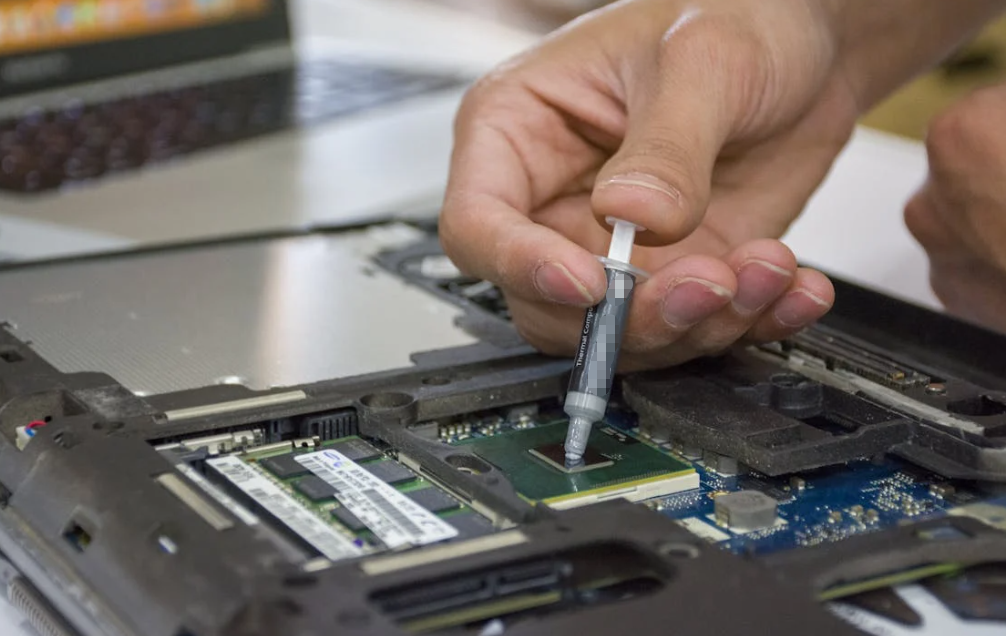
Thermal paste might sound like a humble smear of gray goo, but in the worlds of electronics, computing, and industrial thermal management, it’s one of the unsung heroes of reliable performance. Whether you’re building a high-end gaming PC, maintaining server hardware, or specifying materials for sophisticated electronics, understanding thermal paste—and why it matters—is crucial.

In this comprehensive guide, we’ll explore what thermal paste is, how it works, its composition, its role in thermal systems, how to choose the right product, proper application techniques, and common mistakes to avoid.
1. What Is Thermal Paste?
At its core, thermal paste (also called thermal compound, thermal grease, heat sink compound, or thermal interface material – TIM) is a thermally conductive substance designed to improve heat transfer between two surfaces, typically between a heat-generating electronic component (like a CPU or power transistor) and its heat sink. Thermal paste is here to solve a fundamental problem: even perfectly machined metal surfaces have microscopic bumps and valleys, creating tiny pockets of air when they meet. Those air gaps act as insulators and drastically reduce the efficiency of heat transfer. Thermal paste fills those gaps, replacing poor thermal conductors (air) with material that conducts heat much more effectively.
In technical terms, thermal paste bridges the microscopic surface imperfections between mating surfaces, creating a continuous thermal path to carry heat away from critical components. Without it, even premium cooling hardware can’t operate at full efficiency.
Related Read: What Is Cyanoacrylate Adhesive? Properties, Uses, Benefits & Limitations
2. Why Thermal Paste Matters
The Thermal Challenge
Electronic components like CPUs and GPUs generate significant heat during operation. Left unchecked, this heat can degrade performance, trigger thermal throttling (where the system slows itself to avoid heat damage), or—even worse—cause permanent failure. Even when metal surfaces are clean and flat to the naked eye, their microscopic roughness traps air. Because air is an extremely poor thermal conductor (≈0.026 W/m·K), these trapped pockets become thermal bottlenecks.
Thermal paste dramatically improves the thermal connection between the component and heatsink, enabling heat to flow more efficiently. This means:
- Lower operating temperatures
- Increased stability during high workloads
- Higher sustainable performance
- Longer component life
Thermal Conductivity Explained
Thermal conductivity is the key metric that defines how well a material transfers heat. It’s measured in watts per meter-Kelvin (W/m·K) and reflects how efficiently heat travels through a material. While metals like copper and aluminum have very high values (e.g., copper ~300 W/m·K, aluminum ~210 W/m·K), thermal pastes typically range from 2 to over 10 W/m·K depending on formulation and quality.
Liquid metal pastes—high-end specialty products—can exceed 13 W/m·K, but their use comes with additional complexity and risks if misapplied.
3. What Thermal Paste Is Made Of
A thermal paste isn’t a single ingredient, but a composite of materials engineered to balance thermal performance, ease of use, and reliability. Generally, thermal paste consists of:
Base Fluid Matrix
This carrier material (often silicone, polymer, or oil-based grease) gives the paste its workable consistency and helps spread it thinly between surfaces.
Thermally Conductive Fillers
These are what make thermal paste “work.” Common fillers include:
- Aluminum oxide
- Boron nitride
- Aluminum nitride
- Carbon-based materials (like graphite or even graphene)
- Metal particles (e.g., silver)
The filler material provides the actual pathway for heat conduction. Higher filler content usually means better thermal performance.
Additives
Some formulations include stabilizers, anti-settling agents, or other components that enhance durability and spreadability.
The overall performance of a paste depends on how these ingredients are balanced—high performance often involves more conductive particles but also requires careful control of fluidity and viscosity.
4. Types of Thermal Paste
Not all pastes are equal—different formulations cater to different needs:
Ceramic-Based Pastes
- Non-electrically conductive
- Good thermal performance
- Safe for beginners
- Common in mainstream builds and general electronics cooling
Metal-Based Pastes
- Higher thermal conductivity than ceramics
- Sometimes electrically conductive
- Better performance for enthusiast and overclocking systems
Liquid Metal Pastes
- Highest thermal conductivity values
- Metal alloys like galinstan often used
- Best for extreme cooling enthusiasts
- Must avoid aluminum heatsinks (corrosion risk) and careful application is required
Carbon or Graphene-Infused Pastes
- Emerging high-performance compounds
- Favorable thermal characteristics
- Often non-electrically conductive
Each type has trade-offs between performance, ease-of-use, cost, and safety.
5. How Thermal Paste Works in Practice
When installed correctly, thermal paste creates a thin, uniform layer between mating surfaces. It doesn’t “bond” like glue; instead, it eliminates the insulating air and increases the real contact area. A properly applied layer allows heat from a hot component to pass through to the cooler’s massive surface area, where it can be dissipated into the air by a heatsink or fan.
Even a small amount of air trapped at the interface can significantly reduce heat transfer because air’s thermal conductivity is orders of magnitude lower than that of a good thermal paste. That’s why the right application matters so much.
6. How to Apply Thermal Paste Like a Pro
Applying thermal paste isn’t complicated—but attention to detail makes all the difference. Here’s how to do it correctly:
Step-by-Step Application
- Prepare surfaces – Clean both the CPU heat spreader and heatsink base with isopropyl alcohol to remove old paste and contaminants.
- Small amount counts – Apply a small “pea-sized” amount in the center of the chip; this ensures an even spread when the cooler is installed. Too much paste can actually be counterproductive, acting as a thermal barrier if excessively thick.
- Mount the cooler – Press the heatsink down evenly and secure it with the manufacturer’s recommended method.
- Check for spread – After removal, you should see a thin, even layer bridging the entire mating surface.
Best Practices
- Avoid applying paste on sensitive circuitry.
- Use non-conductive formulations if you’re unsure.
- Replace old paste every 2–3 years or if performance degrades.
7. When Should You Replace Thermal Paste?
Thermal paste doesn’t last forever. With thermal cycling and environmental stress, it can dry out or lose contact effectiveness over time. Signs you should replace it include:
- Unexpected temperature increases
- Noisy cooling fans
- Reinstallation of cooling hardware
- Pastes older than 2–3 years
With high-performance systems or heavy workloads, more frequent checks may be wise.
8. Common Mistakes and Misconceptions
Too Much Paste Is a Bad Thing
More paste does not equal better cooling. Excess paste can trap heat or spill onto electrical components (especially with metal-based compounds).
Air Gaps Are the Enemy
Even tiny pockets of air reduce heat transfer because air is such a poor conductor compared to paste or metal surfaces.
Not All Pastes Are Electrically Safe
Metal particle and liquid metal pastes can be electrically conductive or capacitive, so they must be handled with care.
9. Industrial and Non-PC Uses
While most people associate thermal paste with CPUs or GPUs, it’s used in many other fields:
- Power electronics cooling
- LED heat management
- Telecom and industrial systems
- Automotive electronics
Any scenario where heat needs to be efficiently transferred from one surface to another without mechanical bonding can benefit from a properly selected thermal paste.
10. Choosing the Right Paste for Your Needs
Selecting the right thermal paste comes down to balancing performance, ease-of-use, and safety:
- General use / everyday computing: Ceramic or silicone-based paste
- Gaming or higher performance: Mid-range metal-infused paste
- Extreme cooling enthusiasts: Liquid metal variants (with care)
- Industrial applications: High-performance, application-specific compounds with certified thermal conductivities
Always check thermal conductivity ratings and the manufacturer’s recommendations for your use case.
11. Short Conclusion
Thermal paste might seem like a simple accessory, but it plays a pivotal role in modern thermal management. By filling microscopic air gaps and enhancing heat transfer between interfaces, it enables electronics—from consumer PCs to industrial systems—to run cooler, longer, and more efficiently. Understanding what thermal paste is, how it works, and how to apply it effectively ensures that your thermal solutions perform at their peak. Choosing the right product for your application and applying it correctly can mean the difference between reliable operation and unnecessary thermal headaches.
12. FAQ
Do I need thermal paste for my CPU?
Yes. Without it, even the best heatsinks can’t transfer heat efficiently due to microscopic air gaps. Thermal paste fills those gaps and improves heat transfer.
How often should thermal paste be replaced?
Typical intervals range from 2 to 3 years, but heavy use, high temperatures, or visible drying may warrant earlier replacement.
Can thermal paste conduct electricity?
Some metal-based or liquid metal pastes can be electrically conductive—use non-conductive formulas if you’re worried about accidental contact.
Is more thermal paste better?
No. Too much paste can act as a thermal barrier or spread onto unwanted areas. A thin, even layer is ideal.
What paste should I choose for high performance?
For high thermal performance, consider high-conductivity formulations (ceramic, metal-based, or liquid metal) appropriate to your cooling setup and skill level.