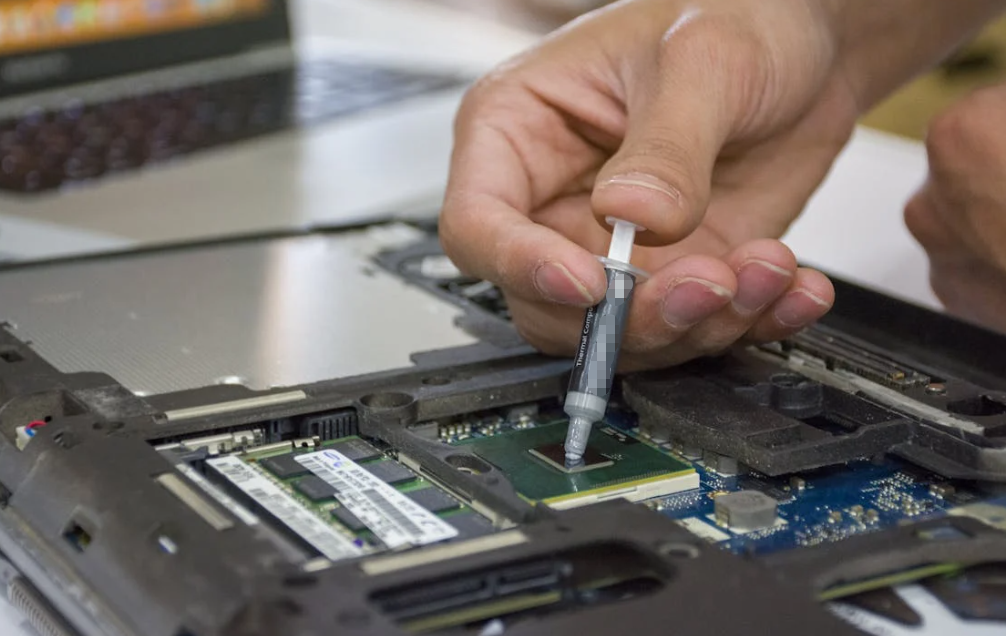
Graphics cards are among the most heat‑intensive components in a computer system. From gamers pushing the limits of performance to professionals rendering complex visuals, efficient heat dissipation is key to reliable operation. While many enthusiasts and technicians focus on thermal paste for CPUs and GPUs, thermal pads—the often overlooked thermal interface material (TIM) used between heatsinks and components such as VRAM, VRMs, and other hotspots—play a vital role in GPU cooling.

But how long do these thermal pads actually last? When should they be replaced? And what factors affect their longevity? In this article, we look at all these questions and more, helping you understand the lifespan of graphics card thermal pads from both a practical and technical standpoint.
Understanding Thermal Pads: What They Are and Why They Matter
Before diving into lifespan, it’s important to understand what thermal pads are and why they exist.
Thermal pads are solid, compressible TIMs typically made from silicone infused with thermally conductive fillers (ceramic, graphite, metal oxides, etc.). Unlike thermal paste—which is semi‑liquid and best suited for high‑contact surfaces like CPU/GPU dies—pads are used where there are larger gaps between components and heatsinks (e.g., VRAM chips, MOSFETs, VRMs).
Key roles of thermal pads include:
- Bridging irregular surfaces between chips and heatsinks
- Providing electrical insulation while conducting heat
- Maintaining physical contact under thermal expansion and vibration
Because they are solid and less messy than paste, pads are ideal for certain GPU components, but this convenience comes with trade‑offs in thermal conductivity and long‑term stability.
How Long Do Thermal Pads Last?

Typical Lifespan Range
Thermal pads do not last forever. Their lifespan can vary greatly depending on quality, usage, temperature gradients, and environment:
- High‑quality thermal pads: Often last 5–10 years or more under normal conditions.
- Standard or OEM pads: Most commonly estimated to last 3–5 years before performance begins to degrade.
- Budget pads: Under heavy use or high temperature, may require replacement every 2–3 years.
This range reflects general consensus from multiple technical sources in the hardware maintenance community and industrial estimates.
Thermal Paste vs. Thermal Pads
While thermal paste typically dries out faster (often within 3–5 years), thermal pads tend to maintain structural integrity longer because of their solid form factor and resistance to evaporation. This doesn’t mean they remain equally effective forever; rather, the rate of thermal conductivity deterioration is slower compared to paste.
What Influences Thermal Pad Lifespan?
The lifespan of thermal pads isn’t a fixed number—it’s affected by several variables.
Heat and Usage Patterns
Thermal pads installed on GPUs that run at high temperatures, such as during long gaming sessions or continuous 3D rendering, will age more quickly. Constant thermal cycling causes material stress, reducing elasticity and effectiveness over time.
Quality of Materials
Pads from reputable manufacturers with high‑grade silicone, ceramic, or metal fillers tend to hold up better under stress. These materials resist drying, cracking, and loss of thermal performance longer than cheap generic pads.
Environmental Conditions
External factors like heat, humidity, dust, and airflow also impact a pad’s longevity. Poor case ventilation or dirty cooling systems can raise internal temperatures, accelerating aging.
Physical Handling and Assembly
Thermal pads may degrade faster if they are frequently removed and reinstalled, or if they are compressed unevenly due to improper installation. Once removed, most pads should not be reused.
Signs Your Thermal Pads Need Replacement

Even if pads are technically within their “lifespan,” real‑world performance indicators often determine when to replace them:
Rising Temperatures
If your GPU’s VRAM or VRM temperatures start trending upward despite normal use and clean airflow, the thermal pads may have lost effectiveness.
Visible Degradation
When you open the graphics card, look for signs like cracking, brittleness, discoloration, or loss of elasticity. These are classic indicators of aging TIM.
Thermal Throttling or Instability
Unexpected throttling, crashes, or fan overactivity can be symptomatic of poor heat transfer, including failing thermal pads.
Obvious Physical Damage
Physical damage during maintenance or installation (tears, misalignment, compression set) almost always warrants pad replacement.
Replacement Guidelines: When and How Often
There’s no one‑size‑fits‑all answer, but reasonable guidelines based on typical usage include:
- Routine check: Inspect thermal pads every 2–3 years during major maintenance or repasting.
- Proactive replacement: If you’re regularly running intensive workloads or overclocking your GPU, consider replacing pads every 3–5 years.
- Preventive replacement: Many technicians recommend replacing pads when you first open a multi‑year‑old card for repasting or cleaning.
Tips to Extend Thermal Pad Life
Even with inevitable wear, you can maximize the service life of your thermal pads:
Maintain Good Airflow
Proper case ventilation keeps overall temperatures lower, slowing thermal degradation.
Use High‑Quality Pads
Investing in premium thermal pads with well‑documented material properties yields longer service life.
Gentle Handling
Avoid unnecessary panel removal or frequent disruption of heatsink assemblies.
Monitor Temps
Using software to regularly check GPU, hotspot, and VRAM temperatures helps you detect decline before it becomes problematic.
Conclusion
Graphic card thermal pads are durable components that—in many cases—can last much of the useful life of your GPU if conditions are favorable. However, they’re not immortal. Typical lifespans range from about 3–5 years for standard pads to 5–10+ years for higher‑quality pads under moderate use.
The reality is that thermal pad performance fades gradually as elasticity decreases and heat transfer efficiency declines. By understanding their expected lifespan, recognizing indicators of degradation, and scheduling maintenance proactively, you can keep your graphics card operating reliably and efficiently.
Frequently Asked Questions (FAQs)
Do thermal pads always need replacing when repasting my GPU?
Not necessarily. Pads last longer than thermal paste, so you can choose to replace them only if they are degraded or older than ~3–5 years.
Can I reuse thermal pads after removing them?
No — once thermal pads are removed, they lose their uniformity and compression properties. They should typically be replaced with new ones.
What’s the average lifespan of high‑quality thermal pads?
Under normal use, good‑quality pads can function effectively for around 5–10 years.
When does a thermal pad fail?
Failure signs include hardening, cracking, loss of elasticity, rising temperatures, or VRAM hotspots.
Do all GPUs use thermal pads?
Most modern discrete GPUs use thermal pads for VRAM and other auxiliary components, while the GPU die itself uses thermal paste.