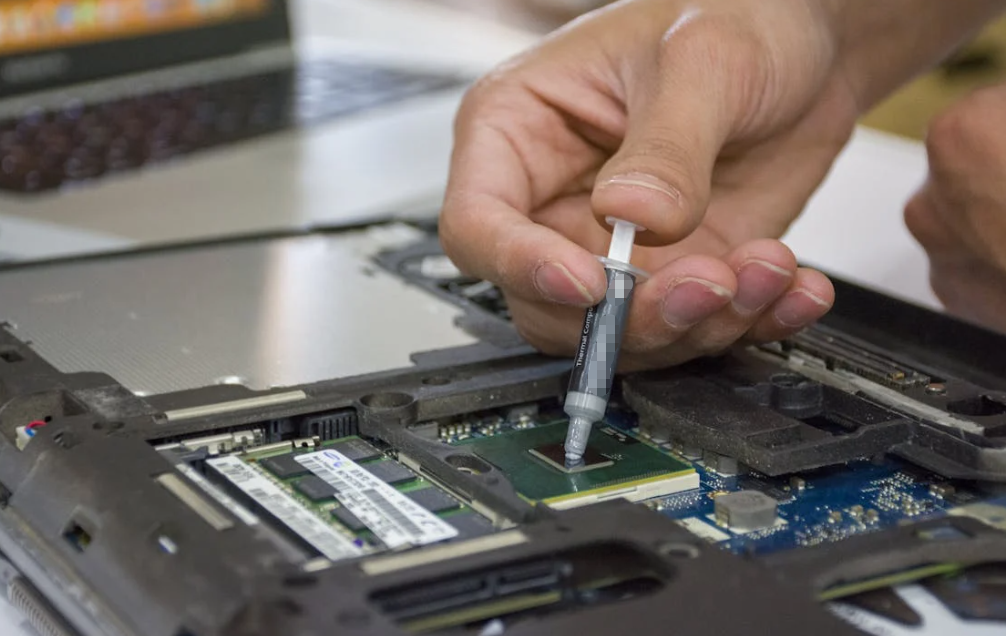
A thermal pad is a sheet of material placed between a heat-producing component and a cooling surface to help heat pass between them. Most soft thermal gap pads compress slightly during assembly. That lets them bridge a gap that bare metal contact, or a thin layer of thermal paste, cannot reliably fill.
Picture a row of memory chips sitting below a graphics card’s cooler. Their tops do not quite reach it. A suitable pad fills that space and gives heat a route into the cooler.
Simple enough. But “thermal pad” covers several different products. A soft silicone gap pad, a thin electrical insulator, and a graphite sheet do not behave alike.
Understanding those differences helps you answer the useful question: which material will make dependable contact in your assembly, without putting too much force on the parts beneath it?
How a Thermal Pad Moves Heat Across a Real Gap

From the component to the cooler
A component generates heat during operation. Heat can travel through its package, across an interface material, and into a heat sink, enclosure, or cold plate. The cooling system then transfers that heat onward.
Thermal pads handle one part of this journey. It does not create cooling by itself, and it cannot rescue a heat sink that is too small for the load.
Even surfaces that look flat have microscopic irregularities. Assemblies also have larger gaps caused by component heights, mounting hardware, and manufacturing tolerances. Air trapped between these surfaces makes conduction difficult.
A compliant thermal interface material, or TIM, replaces much of that air and follows the shape of the mating surfaces. Think of it as a fitted bridge. The bridge needs to reach both sides before its construction material matters very much.
Contact matters as much as the material
Thermal conductivity describes how readily heat moves through a material. It is commonly reported in watts per meter-kelvin, written W/m·K.
The complete interface has additional obstacles: pad thickness and contact resistance at each surface. A pad with an impressive conductivity figure can still perform poorly if it barely touches the cooler.
Likewise, excessive force is not a free improvement. It can bend a circuit board, stress a package, or disturb contact elsewhere.
Henkel’s explanation of thermal gap pad materials describes their conformability and use between uneven surfaces. That mechanical fit is central to their thermal function.
What Are Thermal Pads Made Of?
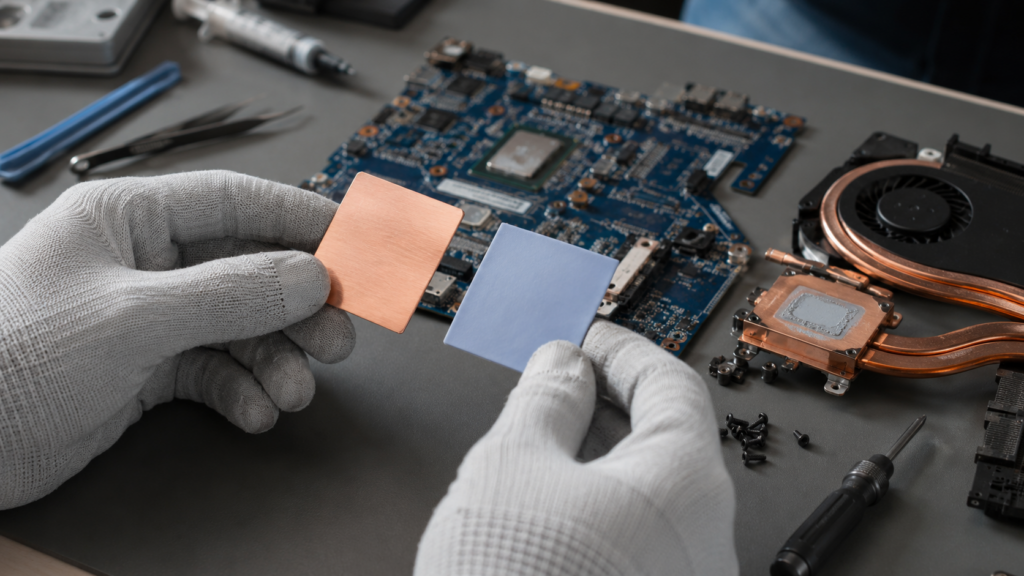
Filled silicone and silicone-free gap pads
Many soft gap pads combine a silicone polymer with thermally conductive fillers. Ceramic fillers, including aluminum oxide and boron nitride, can improve heat conduction while supporting electrical insulation in a suitable formulation.
The finished product depends on more than the filler name. Filler loading, particle arrangement, polymer chemistry, reinforcement, and surface condition all affect performance.
Silicone-free versions serve applications where silicone-related contamination or material compatibility is a concern. They still need evaluation for temperature exposure, mechanical behavior, and aging. The label alone does not make them a better thermal choice.
Some pads have natural tack. Others include an adhesive layer to help placement. Tack is a handling feature; it does not automatically provide structural attachment. Any adhesive or carrier also becomes part of the thermal stack.
Thin insulating sheets, graphite, and phase-change materials
Thin reinforced insulating sheets are often used between power semiconductor packages and heat sinks. They serve a different mechanical role from a thick, highly compressible gap pad.
Graphite sheets introduce another distinction. Many spread heat efficiently along their plane, while heat conduction through their thickness differs. Orientation and construction matter. Graphite itself conducts electricity, so exposed edges and nearby contacts need attention. Review the construction of graphite heat-spreading materials before treating them as substitutes for insulating gap pads.
Phase-change materials are designed to soften or transition within a specified temperature range, improving surface wetting under the intended conditions. An ordinary silicone pad becoming softer when warm does not automatically make it a phase-change product.
| Material family | Typical role | What to check |
|---|---|---|
| Filled silicone gap pad | Bridge uneven gaps to a cooler or enclosure | Compression force, thickness, thermal impedance, compatibility |
| Silicone-free gap pad | Gap filling where silicone is undesirable | Aging, formulation-specific properties, application limits |
| Reinforced insulating sheet | Thin thermal interface with electrical isolation | Breakdown performance, puncture risk, mounting details |
| Graphite sheet | Heat spreading or a specifically designed thin interface | Directional conductivity, electrical conductivity, handling |
| Phase-change interface sheet | Thin interface that improves contact at operating temperature | Transition conditions, pressure, retention, rework instructions |
These are material families, not a performance ranking. Always compare the exact grade and finished construction.
Where Thermal Pads Belong in Electronics
On graphics cards, pads commonly connect VRAM and voltage-regulator components to a shared cooler. The GPU core may use a different interface because its contact geometry and thermal demands differ.
That distinction matters during repairs. Putting a thick memory pad on the core can prevent the intended mounting arrangement from working.
SSDs can use pads between selected components and a heat spreader. A pad that is too thick may bow the drive or interfere with its mounting. Follow the drive and cooler layout instead of covering every visible component by default.
Servers and networking equipment may use gap pads to connect components of different heights to cooling structures. In densely packed equipment, repeatable placement and controlled load can be as important as the nominal conductivity value.
Industrial controls and power supplies often have another challenge: moving heat into a metal enclosure while maintaining the required electrical separation. A fanless controller cannot assume that its casing is an effective heat sink under every ambient condition. The whole heat path needs checking.
LED assemblies, automotive electronics, and telecom hardware can also use suitable pads. Their operating conditions may involve vibration, humidity, thermal cycling, or long service intervals. A material qualified for one assembly is not automatically qualified for another.
The same practical pattern appears across these industries. Start with the heat source, identify the surface receiving the heat, and measure the space between them. Then ask whether the proposed pad can maintain contact throughout the intended service conditions.
Thermal Pad vs Thermal Paste: Start with the Gap
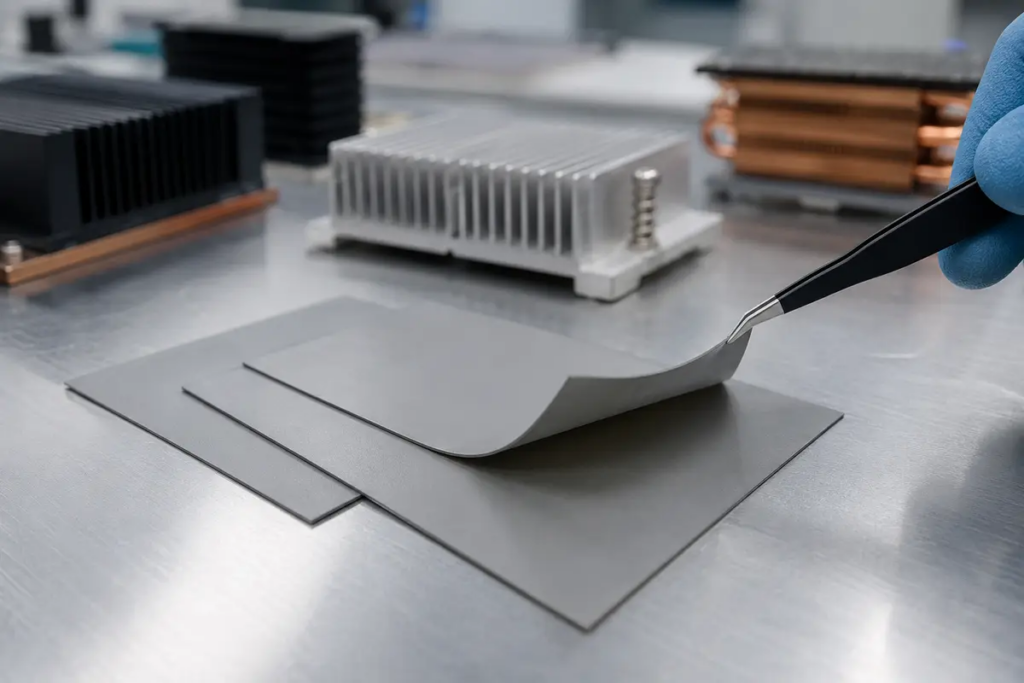
Thermal paste, also called thermal grease, usually serves a thin interface between closely mating surfaces. It fills small surface irregularities under the intended mounting pressure.
A soft gap pad can accommodate a larger designed separation. It arrives as a sheet or cut shape, which can make placement and material quantity easier to control.
Neither format wins everywhere.
| Interface material | Where it can fit | Main limitation to evaluate |
|---|---|---|
| Thermal grease | Closely mating processor or power-device interfaces | Bond line control, containment, aging under actual conditions |
| Soft thermal pad | Defined gaps and component height variation | Compression force and thickness selection |
| Thermal putty or dispensable gap filler | Irregular gaps and automated dispensing | Dispense volume, voids, material movement, cure requirements where applicable |
| Thin phase-change material | Close interfaces designed around its operating behavior | Temperature, pressure, and surface requirements |
A paste is not a reliable way to fill a space designed for a thick pad. Conversely, a thick pad may add unnecessary resistance where the assembly was designed for a thin grease layer.
For a replacement, begin with the equipment maker’s interface specification. For a new design, compare candidates at the same installed gap and realistic mounting conditions.
Also resist blanket lifespan claims. Pads do not always outlast grease, and grease does not always outlast pads. Formulation, movement, temperature history, and assembly design decide the outcome.
How to Choose Thermal Pad Thickness Without Overloading the Board

Measure the assembled gap and its tolerances
The dimension that matters is the gap after the hardware reaches its intended assembled position.
Record the smallest and largest expected gap. Include component height variation, board flatness, cooler flatness, and the mounting stack. An old pad’s measured thickness may be misleading because it has already compressed or taken a permanent set.
A pad must make adequate contact at the largest gap without applying excessive force at the smallest one. This is why “buy a slightly thicker pad” can turn into an expensive guess.
Use the detailed guide to selecting thermal pad thickness when working through the dimensional stack.
Match compression to force, not hardness alone
Compression percentage tells you how much the pad thickness decreases. It does not tell you the resulting load by itself.
Two materials with the same nominal thickness can need very different forces to reach the same installed thickness. Shore hardness can help describe a material, but it is not a substitute for its compression-deflection data.
Ask for force or pressure data at the intended compression and temperature. Check the load limits of the component, board, and mounting system. Large pad areas can create substantial total force even when the pressure appears modest.
There is no universal compression percentage for every thermal pad.
Read conductivity alongside thermal impedance
For a simple, uniform layer, bulk thermal resistance can be estimated as:
R = t / (k × A)
Here, t is installed thickness in meters, k is conductivity in W/m·K, and A is contact area in square meters. The result is in K/W.
Real assemblies add contact resistance and may have spreading effects or uneven heat flow. Treat the equation as a useful first estimate, not a complete device temperature prediction.
A thickness example—and its limits
Assume a uniform layer with an installed thickness of 1 mm, an area of 20 × 20 mm, and conductivity of 3 W/m·K.
Its calculated bulk resistance is approximately 0.83 K/W. With 5 W flowing uniformly through that layer, the calculated temperature difference across the material is about 4.2°C. Doubling the installed thickness doubles this bulk resistance if everything else remains unchanged.
These are illustrative calculations, not HAKTAK test results.
Now suppose a 1.25 mm uncompressed pad is installed in a fixed 1.00 mm gap. Its nominal compression is 20%. That arithmetic does not prove the pad is suitable. You still need its tolerance, force data, and application limits.
The lesson is straightforward: use enough material to create dependable contact, then verify the thermal and mechanical consequences.
Install the Pad So Both Surfaces Actually Make Contact
First, disconnect power and follow the equipment’s service and electrostatic-discharge procedures. Photograph the original pad locations if you are servicing an assembly. Similar-looking areas may use different thicknesses.
Clean the mating surfaces using a method compatible with the components, coatings, and pad. Remove old residue and loose contamination. Let any approved cleaning solvent dry before assembly.
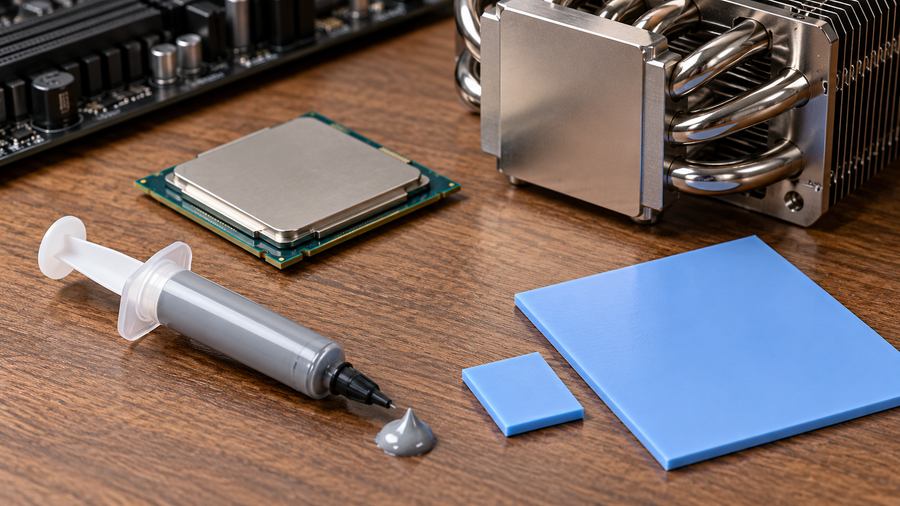
Check the product instructions for removable protective liners. A pad may have liners on one or both sides. Remove only the layers identified as removable: a permanent reinforcement or insulating carrier belongs in the finished interface.
Cut or select the required footprint, then place the pad without stretching it. Avoid handling the contact faces more than necessary. Keep the material clear of connectors and other areas excluded by the assembly design.
Lower the cooler into position without dragging the pad across the board. Tighten fasteners using the specified sequence and torque. Excess tightening cannot correct the wrong pad thickness.
During development, a controlled trial assembly can help assess contact and compression. If you open that assembly, inspect for displacement, tearing, or contamination and use fresh material when the validation or service procedure requires it.
Do not stack pads or add grease to their faces unless the manufacturer has qualified that arrangement. Extra interfaces and uncontrolled movement make the result harder to predict.
Finally, test under a repeatable workload. Record ambient temperature, power, fan settings, and the relevant component temperatures. A comparison made under different conditions may tell you more about the test setup than the pad.
Why a New Thermal Pad Can Make Temperatures Worse
A replacement can look perfect on the bench and still fit badly after assembly. A common trap is improving contact on one component while disturbing another.
For example, a memory pad that is too thick or stiff may change how a shared GPU cooler sits. Memory contact could improve while core contact gets worse. Check the assembly as a whole.
| Symptom | Possible cause | Useful next check |
|---|---|---|
| Component temperature rises | Incomplete contact or retained protective liner | Verify liner removal, footprint, and installed gap |
| GPU core gets hotter after a memory-pad change | Pad load interferes with cooler seating | Inspect thickness, stiffness, and mounting sequence |
| Board bends during tightening | Excessive compression force | Review force-deflection data and mechanical limits |
| Results vary between assemblies | Placement, gap, or fastening variation | Standardize the build and record dimensional tolerances |
| Performance degrades over time | Contact loss, material change, or cooling-system deterioration | Inspect the interface and check fans, dust, and operating conditions |
These are investigation paths, not diagnoses from temperature alone. A blocked air path or changed power limit can produce similar symptoms.
If several materials perform poorly in the same position, reconsider the mechanical design. Sometimes the useful fix is a better mounting arrangement or a smaller gap, rather than another conductivity upgrade.
Electrical Insulation, Testing, and Long-Term Reliability
Thermal conductivity and electrical conductivity are different properties. Many ceramic-filled pads provide electrical insulation; graphite-based materials may conduct electricity. Verify the exact product.
Dielectric strength is not the same as a guaranteed safe working voltage for the finished assembly. Thickness, compression, edges, contamination, and puncture risk matter. Electrical safety also depends on the surrounding insulation system.
For thermal data, ASTM D5470 describes testing of thermal transmission properties of thermally conductive electrical insulation materials. It is a test method, not a blanket product approval. Compare reported results with their pressure, thickness, temperature, and measurement conditions.
UL 94 classifications concern material flammability under defined test conditions. A material classification does not certify an entire electronic device. Check the specified grade, tested thickness, and applicable product requirements.
Long-term validation should reflect service conditions. Thermal cycling, vibration, elevated-temperature exposure, and compression set can affect contact. Inspect physical condition and repeat thermal measurements after relevant testing.
For supplier discussions, bring the gap range, contact area, temperature range, electrical requirements, and allowable assembly force. These details produce a more useful recommendation than asking for the highest W/m·K number.
Conclusion
A thermal pad gives heat a practical route across an interface that would otherwise contain air. Its success depends on making contact, maintaining that contact, and fitting the assembly’s thermal and mechanical limits.
Choose the material family first. Then check installed thickness, compression force, electrical requirements, and measured performance under realistic conditions. Treat installation and aging as part of the selection process.
The best pad for your design is the one that works in that particular gap, under that particular load. A higher conductivity figure is useful only when the rest of the interface works with it.
FAQs
What is a thermal pad used for?
It transfers heat between a component and a cooling surface. Soft gap pads commonly bridge component height differences or designed gaps to a heat sink, spreader, or enclosure.
Is a thermal pad the same as thermal paste?
No. A pad is a preformed sheet. Paste is a spreadable material usually intended for a much thinner interface. Their suitability depends on the gap and mounting arrangement, not just conductivity.
Can I use a thermal pad on a CPU or GPU?
Only if the particular interface material and cooler arrangement support that use. Memory gap pads are not automatic substitutes for a processor’s original interface. Some specialized thin sheets serve different roles.
How do I choose thermal pad thickness?
Use the assembled gap range, pad thickness tolerance, and compression-force data. Verify contact at the largest gap and acceptable force at the smallest. An old compressed pad is not a reliable specification by itself.
Are all thermal pads electrically insulating?
No. Check the exact material and construction. Ceramic-filled polymer pads can be insulating, while graphite sheets can conduct electricity. Thermal performance alone tells you nothing conclusive about electrical safety.
Do I remove the plastic film before installation?
Remove the protective liners identified in the manufacturer’s instructions. Do not peel away a permanent carrier or reinforcement. If the layers are unclear, confirm their purpose before fitting the pad.
Can I stack two thermal pads?
Avoid stacking unless that arrangement has been qualified. It adds another contact interface and can change compression or allow movement. A single suitable thickness is generally easier to control and validate.
Can I add thermal paste to a thermal pad?
Do not add it by default. Many pads are intended for direct contact with the mating surfaces. Follow the material supplier’s instructions and validate any combined interface before relying on it.
Can thermal pads be reused?
Reuse depends on the product and service procedure. Tearing, contamination, deformation, or loss of contact can make reuse unsuitable. A pad looking intact does not prove its original performance remains unchanged.
Why did my GPU get hotter after a pad replacement?
Check cooler seating, pad thickness, compression force, liner removal, and placement. Also compare the same workload, power, ambient temperature, and fan settings. A shared cooler can lose core contact when surrounding pads push too hard.