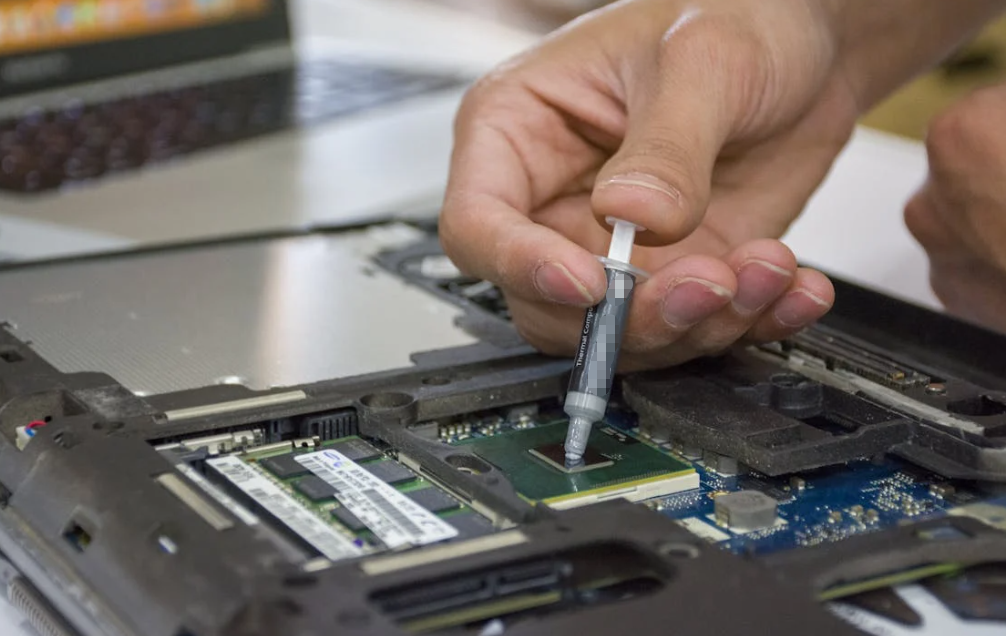
If you open almost any desktop or laptop after a few years, you’ll usually find the same quiet issue sitting between the CPU and the cooler: thermal grease (also called thermal paste) that has slowly aged out of peak performance. It doesn’t fail suddenly. It just gets less effective over time, often without obvious warning until temperatures start creeping up.

So the real question most users ask isn’t what it is, but how often should it actually be replaced? The answer depends on usage, environment, and paste quality—but there are clear industry patterns worth understanding.
What thermal grease actually does (and why it degrades)
Processeur pâte thermique fills microscopic gaps between the processor’s heat spreader and the cooler base. Without it, even polished metal surfaces trap air—and air is a poor conductor of heat.
Over time, though, the compound is exposed to constant heating and cooling cycles. This repeated expansion and contraction slowly changes its physical structure. It can dry out, pump out from pressure changes, or lose uniform contact. Some studies and manufacturer guidelines suggest most standard thermal compounds begin to noticeably degrade after a few years of thermal cycling, especially under sustained load conditions.
This is not a “one-day failure.” It’s a gradual efficiency drop that shows up as slightly higher temperatures month after month.
The realistic lifespan of CPU thermal grease

There is no universal expiration date printed on a tube, but real-world data from manufacturers, repair technicians, and thermal material suppliers tends to converge on similar ranges:
- Standard thermal paste: ~2–3 years under typical PC use
- High-performance paste: ~3–5 years
- Light-use office systems: up to ~5 years in stable environments
- Gaming or high-load systems: often closer to ~1–3 years
- Laptops (higher heat density): typically ~2–4 years
Multiple technical guides and hardware maintenance breakdowns consistently place general replacement cycles in the 2–5 year range, depending on workload intensity and cooling quality.
In practice, the spread is wide because “real life” is messy: dust buildup, airflow restrictions, hot climates, and overclocking all shorten lifespan significantly.
Why usage matters more than the calendar
A desktop used for browsing and office work behaves very differently from a gaming rig pushing 100% CPU load for hours.
Light use (office, browsing, streaming)
If your CPU rarely spikes in temperature and your system stays clean, thermal grease can often last 3–5 years or more. In many cases, you may only replace it when you remove the cooler for another reason.
Gaming and creative workloads
Gaming PCs and editing workstations push sustained heat cycles. That repeated expansion/contraction accelerates paste wear. A more realistic interval here is 2 à 3 ans.
Overclocked or high-heat systems
Higher voltage and sustained peak temperatures speed up chemical breakdown and “pump-out.” In these cases, replacement can be needed in as little as 1–2 years.
Laptops
Thin chassis, limited airflow, and constant thermal stress make laptops a special case. Many technicians recommend repasting around every 2–4 years, sometimes sooner for gaming laptops.
The warning signs matter more than the timeline

A calendar estimate is helpful, but thermal paste doesn’t care about dates—it cares about temperature behavior.
Watch for these signs:
- CPU temperatures gradually increasing over months
- Fans running louder than usual at the same workload
- Thermal throttling during tasks that used to be stable
- Idle temperatures noticeably higher than before
- Temperature spikes of ~10°C or more compared to baseline
When these symptoms appear, the paste may already be losing efficiency, regardless of age.
Some technicians even prefer a practical rule: if performance and thermals change, inspect before replacing.
Do premium thermal compounds really last longer?
Yes—but not infinitely.
Higher-end compounds generally use more stable base materials that resist drying and separation better. That can extend usable life closer to 4–5 years, sometimes longer in ideal cooling conditions.
However, even premium paste is still affected by:
- Heat cycling frequency
- Pression croissante
- Qualité de la glacière
- Ambient temperature
- Dust accumulation
In other words, better paste slows degradation, but doesn’t eliminate it.
What happens if you never replace it?
Nothing dramatic—until it becomes noticeable.
In most systems, the paste doesn’t suddenly “stop working.” Instead, heat transfer efficiency slowly drops. The CPU compensates by boosting fan speeds or reducing clock speeds under load. That’s when users typically notice performance noise changes or thermal throttling.
In extreme cases (many years without maintenance in a hot environment), you may see sustained high temperatures that shorten CPU and motherboard lifespan.
Practical replacement guidance (real-world approach)
Instead of strict scheduling, many technicians use a hybrid rule:
- Inspect temperatures annually
- Plan replacement around 3–5 years for most desktops
- Repaste sooner if temps rise unexpectedly
- Always replace when removing the cooler anyway
This approach avoids unnecessary maintenance while preventing long-term thermal drift.
Short conclusion
CPU thermal grease is not a “replace on schedule no matter what” component. It behaves more like a slow-aging material influenced heavily by heat cycles and system conditions.
For most users, a 2–5 year replacement window is realistic, with gaming and high-load systems trending toward the shorter end. But the most reliable indicator is still simple: rising temperatures over time.
If your cooling performance starts to drift, the paste is usually one of the first—and cheapest—things worth refreshing.
Foire aux questions
How often should CPU thermal paste be replaced?
Most systems every 2–5 years, depending on usage and temperature levels.
Does thermal paste expire if unused?
Yes, but very slowly—usually several years if sealed properly.
Can thermal paste last 10 years?
In rare low-use systems, yes, but performance may still degrade gradually.
What happens if thermal paste dries out?
CPU temperatures rise, and the system may throttle or become louder.
Is repasting necessary when upgrading CPU cooler?
Yes, always clean and apply fresh paste when reinstalling a cooler.