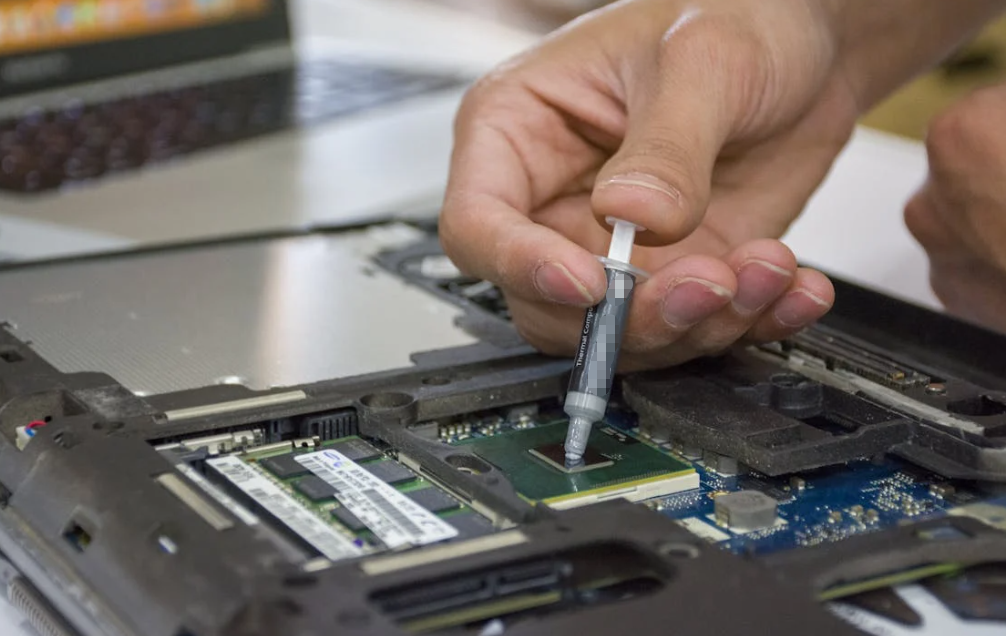
Among the many components in electronic thermal management, thermal grease (also called thermal paste, thermal interface material, or TIM) is deceptively simple yet critically important. Its purpose is straightforward: it fills microscopic air gaps between heat-generating chips (like CPUs, GPUs, power modules and other semiconductors) and their corresponding heatsinks. Without a high-quality, correctly applied layer of thermal grease, even the best heatsinks can’t achieve efficient heat transfer, resulting in elevated temperatures, throttled performance, or, in extreme cases, hardware damage.

Despite its importance, many users — from DIY PC builders to industrial technicians — overlook how to apply thermal grease properly. Some apply too much, others too little, and many make basic mistakes that compromise thermal conductivity and long-term device reliability. This guide addresses that gap: a comprehensive, clear, step-by-step walkthrough on how to apply thermal grease the right way, optimized for both general and specialized applications.
Understanding What Thermal Grease Actually Does
Before diving into procedural steps, it’s essential to understand the function of thermal grease. Heat travels most effectively through solid metal-to-metal contact. However, both chip surfaces and heatsink bases have microscopic imperfections — even when they look smooth. Those tiny voids trap air, and because air is a poor conductor of heat, it creates thermal resistance. Thermal grease has two main functions:
- Fill microscopic surface gaps between the chip surface and the heatsink base.
- Enhance heat transfer across the interface by replacing low-conductivity air with a material of much higher thermal conductivity.
In essence, properly applied thermal grease bridges the contact surfaces to enable efficient heat flow from the chip into the cooling solution. It’s a small step with big impact — but only when done right.
Safety and Preparation: Setting the Stage
Before you ever squeeze a drop of thermal grease, preparation is key. This section outlines safety and workspace readiness.
Safety First
While most thermal greases are non-toxic and electrical-insulating, some specialised TIMs (like liquid metal compounds) can be electrically conductive and require extra caution. Always:
- Wear gloves to prevent skin contact and avoid contaminating surfaces with oils.
- Work in a static-safe environment, especially when handling sensitive components like CPUs or GPUs.
- Avoid cheap or unknown thermal greases, as lower-quality compounds can be thermally inefficient and may degrade faster.
Prepare Your Workspace
Set up a clean, well-lit, static-free area. Gather tools like:
- Isopropyl alcohol (90%+ concentration)
- Lint-free cloth or wipes
- Thermal grease (of appropriate grade for your application)
- Screwdrivers or mounting tools relevant to your cooling assembly
- Optional: plastic applicator or spatula for manual spreading of grease
Having everything prepared makes the process smoother, reduces mistakes, and protects the components.
Step 1: Clean and Inspect Contact Surfaces

Thermal steps begin with perfectly clean surfaces. Any residue — old paste, dust, fingerprints, oils — inhibits heat transfer and creates unwanted thermal resistance.
How to Clean Properly
- Power down and disconnect your system from electrical sources.
- Use 99%+ isopropyl alcohol and a lint-free cloth to wipe both the chip surface and heatsink base. Move in consistent strokes, without circular motions that might spread residue.
- Check visually for any remaining paste or dust. If present, repeat the cleaning process until no residue remains.
- Inspect both surfaces for surface defects like scratches, oxidation, or uneven machining marks — these can create thermal hotspots.
- Allow the surfaces to dry completely before proceeding.
This step isn’t optional — any contamination or irregularity can significantly degrade thermal performance.
Step 2: Choose the Right Amount of Thermal Grease
This is where mistakes most often occur: how much paste should you use?

Why Quantity Matters
Thermal grease is not a glue or filler to be globbed on thickly. Its role is to fill only microscopic voids: too thin and air pockets persist; too thick and it becomes an insulator itself.
According to both manufacturer and industry guidance:
- A pea-sized amount (roughly 4–5 mm in diameter) is typically ideal for most CPUs and many other chips.
- Too much paste can actually raise temperatures because excess material increases the thermal path thickness.
- Too little means incomplete coverage and trapped air — causing hotspots.
Tips for Precise Application
- Use the syringe that comes with most high-quality thermal grease products.
- Place the material carefully in the center of the chip surface.
- If unsure, less is better than more; you can add a small amount more if necessary after initial testing.
Step 3: Apply the Thermal Grease

There are several common application patterns, and the best choice depends on the chip size and type.
Common Methods
Pea-Dot Method:
- Squeeze a pea-sized dot in the center of the chip surface.
- When the heatsink is mounted, the pressure will spread it evenly across the surface.
- Works well for most CPUs and smaller IHS designs.
Line or Cross Method:
- For larger chips (like AMD Threadripper and some high-end CPUs), applying either a thin line or a cross shape can help initiate better spread under pressure.
- This method helps ensure nearedge contact without excess spill-over.
Best Practices
- Avoid smearing the paste manually with fingers — this can introduce contaminants and air bubbles.
- If using an applicator or spreader, ensure it’s clean and that pressure is light and even.
Step 4: Mount the Heatsink or Cooler
Now that the thermal grease is in position, it’s time to install the heatsink (or water block, if applicable).
Installation Tips
- Align the heatsink straight over the chip — do not slide it sideways once it touches the grease.
- Lower it straight down, allowing the grease to spread naturally.
- Tighten screws or mounting clips using a diagonal pattern (often referred to as “X-pattern tightening”). This ensures even pressure and better distribution of the grease.
- Apply only firm, steady pressure — overtightening can flex the circuit board or unevenly spread thermal grease.
Letting the physical mounting pressure do the work avoids trapped air pockets and produces a uniform bond layer thickness, crucial for optimal thermal performance.
Step 5: Test Thermal Performance
Once the assembly is complete, power up your system and evaluate overall performance.

Monitoring Temperatures
- Use software tools like HWMonitor, Core Temp, or equivalent hardware monitors and sensors to check both idle and load temperatures.
- Ensure temperatures are within expected ranges given your cooling solution and ambient environment.
- If temperatures are excessively high or unstable, it may signal either improper thermal grease application or an issue with heatsink contact.
Re-evaluating immediately after first run can save you from overlooking an improper application that could shorten component life or degrade performance.
Frequently Asked Questions
Here are some common questions and straightforward answers to help refine your understanding.
How often should thermal grease be replaced?
It depends on use, thermal load, and material quality — generally, every 1–3 years or whenever you remove the heatsink.
Can I spread thermal paste manually?
It’s usually unnecessary and may introduce air bubbles. Let the heatsink pressure spread it.
What happens if I use too much paste?
Excess paste can insulate instead of conduct heat and even risk spill-over into unwanted areas.
Do higher-priced pastes make a big difference?
Premium pastes often provide better conductivity, but proper application technique matters more than price alone.
Can thermal grease conduct electricity?
Most are non-conductive, but some specialized liquid metals are conductive and demand greater care.
Conclusion: Precision Matters
Applying thermal grease might seem small and simple — yet it’s foundational to effective thermal management. Whether you’re building a high-performance workstation, assembling a server stack, or optimizing industrial electronics cooling, the right application technique directly influences heat flow, performance, and longevity.
By preparing clean surfaces, choosing the correct amount and pattern, mounting with care, and validating results through thermal monitoring, you ensure that your system stays cool and stable under load.
At HakTak, we understand that excellence in thermal interface materials goes beyond products — it includes the knowledge and best practices that help you use them most effectively. If you’d like guidance on selecting the optimal thermal grease for your specific application, feel free to explore our product range and technical resources.