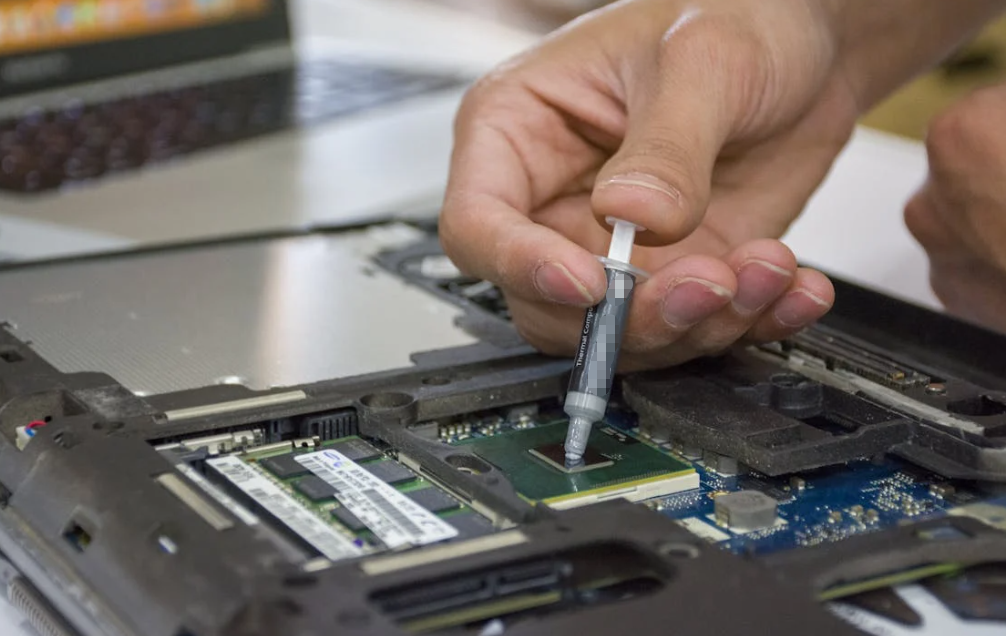
You open a graphics card and find two very different things under the same metal cooler. There is a thin smear on the GPU chip. A few soft rectangles sit over the memory chips nearby. Both move heat toward that cooler, so why not replace everything with whichever material has the bigger W/m·K number?
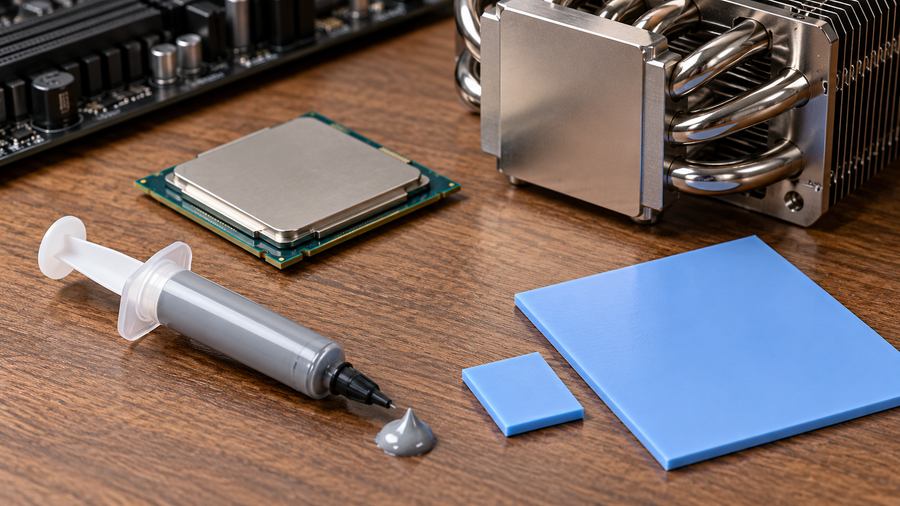
Because the chip and the memory are not meeting the cooler in the same way. One is pressed against it. The others may sit below it, with a real gap to cross. That small difference changes the job.
This is the useful way to think about thermal paste vs. thermal pads: What does the joint need to do after the screws are tightened? If it needs a film thin enough to fill microscopic scratches, paste may be right. If it needs to bridge a measurable gap without crushing a component, a compressible pad may be right. Sometimes a phase-change sheet or thermal putty is a better fit than either. The name on the package is only the start.
First, look at the space between the hot part and the cooler
Every thermal interface material, or TIM, has the same broad task: replace trapped air where heat should pass from one solid surface to another. A CPU heat spreader and a cooler base can look perfectly smooth. Up close, both have tiny peaks and valleys. Put dry metal against dry metal and some of those valleys still contain air. A TIM gets into the spaces that the two surfaces cannot close on their own.
The important question is how much space remains after assembly, not when the parts are sitting loose on a desk.
A well-clamped CPU cooler leaves a thin joint. Paste can spread into surface texture as pressure brings the two faces close. A row of VRAM chips under a shared plate is different. Component heights, PCB bow, screw locations, and cooler flatness create a stack of tolerances. The finished space may be large enough that a thin coat of grease cannot reach both sides. A pad starts thicker and compresses into the gap.
Here is a homely comparison. Paste is like filling scratches in a tabletop before pressing on a sheet of glass. A gap pad is more like a soft shim under a table leg. If the leg is short, a wipe of filler will not hold the table up. If the leg is already touching, a thick shim might make everything wobble. Not elegant, maybe, but that is the problem in a nutshell.
The two materials are not rivals in every build. A laptop, graphics card, or industrial module can use both, in different places. What matters is whether each joint has complete contact, acceptable force, and a heat path that stays stable in use.
What is thermal paste made of, and what counts as a thermal pad?
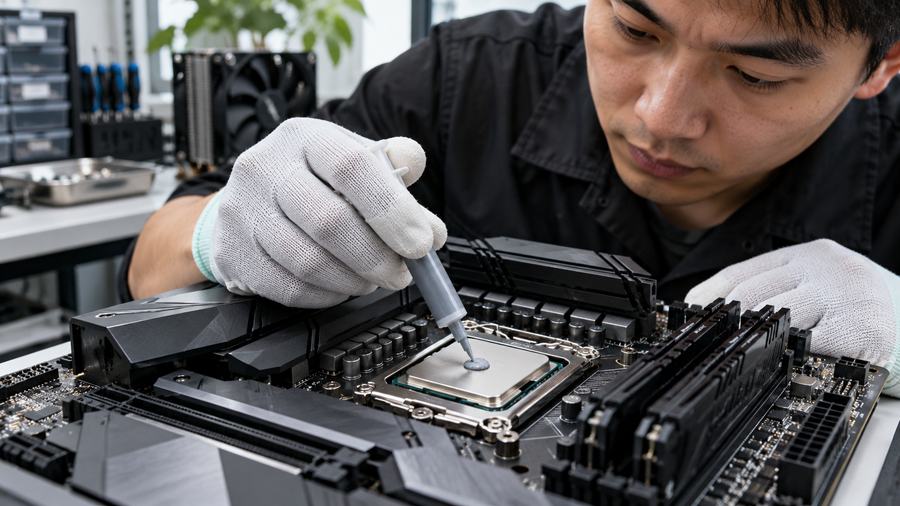
“Thermal paste” goes by several names: thermal grease, heat-sink compound, CPU paste, or sometimes thermal compound. Most products are a fluid or semi-fluid carrier loaded with particles that conduct heat better than the carrier alone. Formulations vary. Ceramic or metal-oxide fillers are common; some use carbon or metal-based ingredients. The carrier and filler package determine flow, stability, electrical behavior, and how the material survives heat cycling. It is worth checking the actual product sheet, not guessing from its color.
Paste works best when the mating faces can come close together. The goal is a continuous thin bond line that displaces air. Paste is not supposed to become a thick cushion. Too little may leave dry areas; too much can squeeze beyond the target area or leave a needlessly thick layer if pressure is poor. Haktak’s thermal grease options are one starting point when a thin, well-clamped interface is the job.
“Thermal pad” is the trickier label. People use it for at least three different constructions:
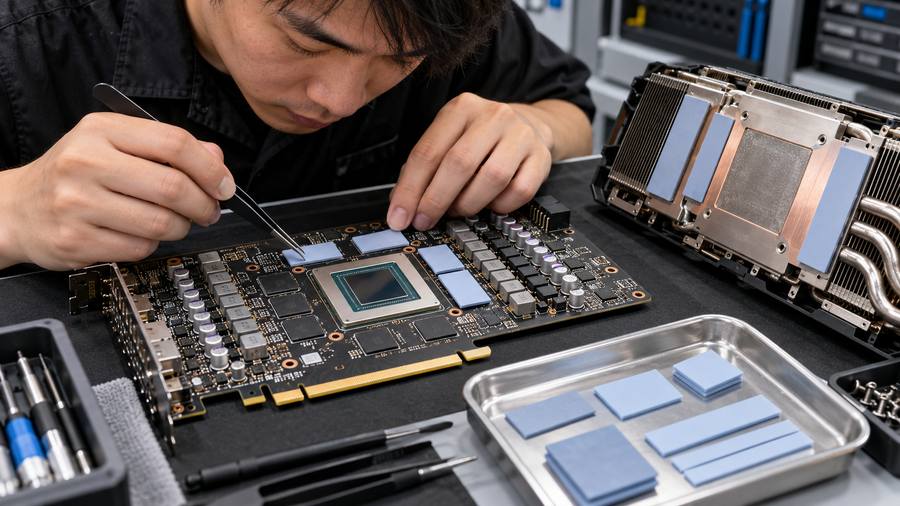
- A compressible gap pad is a soft sheet, often silicone or another polymer with thermally conductive filler. It is chosen by thickness, hardness, compression behavior, and electrical requirements. This is the pad usually found over VRAM, VRMs, an M.2 SSD, or between a PCB part and an enclosure. Haktak’s silicone thermal pad materials show why one pad grade cannot cover every gap.
- A phase-change material (PCM) sheet may be supplied as a neat, pad-like piece, then soften at working temperature and wet the surfaces. Some processor-grade products are designed for a thin CPU or GPU die joint. They are not the same as an ordinary thick silicone gap pad.
- A graphite or carbon sheet can spread heat very effectively in some directions. It may be electrically conductive and can have different pressure and surface-contact needs. A headline conductivity figure for a graphite sheet is not a direct comparison with a squishy gap pad.
So when someone says “Can I use a thermal pad on a CPU?”, ask which kind of pad they mean. A thick VRAM-style gap pad under a tightly fitted CPU cooler is usually a poor match. A qualified PCM sheet made for that exact type of interface is a different conversation. Haktak’s guide to PCM thermal pads for CPUs and GPUs digs into that distinction.
Thermal paste vs. thermal pad at a glance
The table below compares paste with a compressible gap pad, not every product marketed as a “pad.” Individual formulations can differ, so treat it as a selection map, not a substitute for a datasheet.
| Question | Thermal paste / grease | Compressible thermal gap pad |
| What joint suits it? | A thin, closely mated, clamped interface. | A known gap that remains after assembly. |
| How does it make contact? | Flows into surface texture and spreads under pressure. | Deforms under pressure to touch both faces. |
| What controls installed thickness? | Dispense amount, surface shape, and clamp load. | Original pad thickness, gap, hardness, and clamp force. |
| Where might you see it? | CPU heat spreader, GPU die, power-module baseplate. | VRAM, VRM, SSD, LEDs, component-to-housing gaps. |
| Est-il électriquement isolant ? | Depends on the exact formulation. | Depends on the exact formulation and construction. |
| What makes assembly harder? | Dispense consistency, cleaning, and squeeze-out. | Wrong thickness, liner removal, placement, and excess force. |
| Typical failure to investigate | Pump-out, drying, voids, or poor coverage. | Loss of contact, compression set, shifting, or board stress. |
| Can it be reused? | Generally replace after disturbing the joint. | Do not assume reuse; inspect and follow the material specification. |
Notice what the table does non say: “paste always cools better.” That answer sounds neat, but it skips the joint. A paste that never touches the cooler cannot beat a correctly fitted pad across a real gap. A thick pad that lifts the cooler off a CPU die cannot beat a suitable thin-interface TIM there. Fit comes first.
Why the W/m·K number does not settle the debate
Thermal conductivity, usually written as k and measured in W/m·K, describes how well heat travels through a material under stated conditions. It is useful. It is not the whole story. The part you care about is the *installed interface*, with a real thickness and two real contact surfaces.
For a simple, uniform layer, bulk thermal resistance follows R = t/(kA). Here t est l'épaisseur et A is contact area. Hold conductivity and area constant, and doubling thickness doubles that idealized bulk resistance. That is why a thin grease film can be attractive between tightly mated faces. But the equation leaves out contact resistance, voids, uneven pressure, changing thickness across the joint, and the rest of the device’s heat path. It cannot tell you that a particular pad will make your GPU five degrees hotter. Nobody can know that from one datasheet line.
Consider a made-up comparison: two materials have the same conductivity and contact area. One ends up at 0.1 mm, the other at 1.0 mm. The thicker layer has ten times the bulk layer resistance in that simple model. Does the thinner one automatically win? Only if both layers actually maintain good contact. If the thin one leaves an air gap, the calculation is no longer describing the assembly.
This is also why pad hardness matters. A high-conductivity pad that is too firm for the available clamp load may touch only the tallest spots. A softer pad with a less exciting label can sometimes give a better real interface. Conversely, a pad that is too thick can push a shared cooler away from the hottest chip. The result may be worse core temperature and more stress on the board, even while the memory chips are covered beautifully.
Ask for thermal impedance at stated thickness and pressure when possible. Compare like with like. What was the test pressure? Was the quoted value measured before or after compression? How flat were the test surfaces? Were the materials tested at the same mean temperature? Haktak’s explanation of conductivité thermique en fonction de l'impédance thermique is useful if you are sorting through a pile of supplier sheets.
There is a little wrinkle here: even a good bench number is not a device temperature. Fans, ambient air, power draw, cooler design, and sensor location all matter. Use laboratory numbers to shortlist. Use the assembled product to decide.
Where paste, pads, and the occasional alternative belong
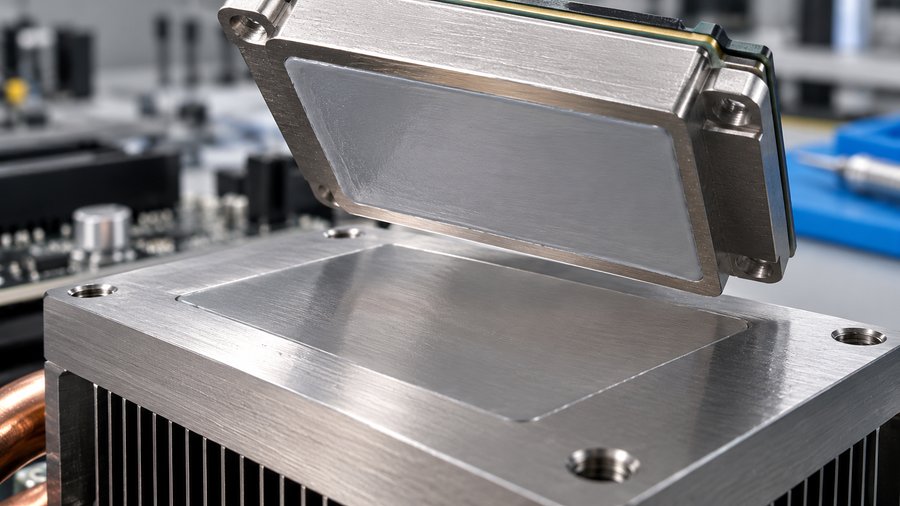
CPU heat spreader and GPU die: keep the joint thin
The usual desktop CPU arrangement is a metal heat spreader clamped against a cooler base. The interface needs to fill surface roughness while staying thin. A suitable paste is the familiar choice. Some systems instead use a processor-grade PCM sheet, especially when clean placement or controlled repeatability matters. Whatever you choose, it has to be qualified for that cooler geometry and load.
Bare GPU dies need extra care. The cooler may also touch memory and power components through a shared plate. Change the thickness of the supporting pads and you can change pressure on the die. That is why replacing a GPU’s pads is not merely a shopping exercise. Record the original stack, compare the new material’s compressed thickness, then check both core and memory temperatures after reassembly.
If you are applying grease to a CPU, follow the cooler and processor instructions for cleaning, quantity, and mounting. Intel’s thermal paste application guide explains the basic preparation and installation checks. The best dot, line, or spread pattern is the one that gives complete coverage without unsafe overflow for that particular interface; no shape is magic.
VRAM, VRMs, and SSDs: a measurable gap changes the job
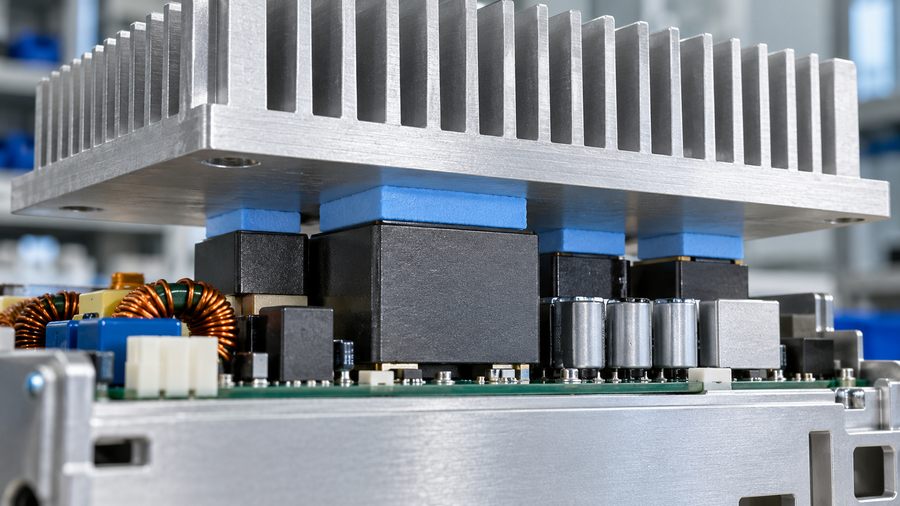
Memory chips and voltage-regulator components often sit below a larger metal plate. A pad can bridge the space while tolerating modest differences in component height. M.2 SSD heat spreaders use the same basic idea. Here, thickness and softness matter at least as much as the advertised conductivity.
Suppose a service technician removes a 1 mm pad from a graphics card and installs a stiffer 1.5 mm pad because it looks “more substantial.” It may keep the memory covered, yet tilt the plate enough to weaken contact at the GPU die. The opposite mistake is just as real: a thinner pad may fail to touch the memory at all. Measure the gap or use a known assembly specification. For a new design, capture the minimum, nominal, and maximum gap across production tolerances. Haktak’s guide to choosing thermal pad thickness walks through that geometry.
What if several parts have wildly different heights? A pre-cut pad may be awkward. A soft thermal putty or dispensable gap filler can conform to uneven surfaces, though it brings its own process and cleanup questions. That is a reason to examine thermal putty for uneven gaps, not a reason to smear CPU paste over a large open space.
Outside the PC: electrical and production needs join the discussion
In an LED module, the route to the housing may be wide and shallow, with assembly pressure limited by the board. In a telecom box, heat-producing parts may face a machined wall that is not perfectly parallel. Industrial controllers deal with vibration and long periods between service visits. EV inverters and other power electronics can add electrical isolation and high consequences for a bad interface. AI servers may combine thin processor joints with many gap-filled memory or power stages. The right TIM can differ inside the same product.
For these industries, the material decision cannot stop at “which one runs coolest in a desktop test?” Engineers also care about dielectric behavior, silicone sensitivity, outgassing or contamination, flame requirements, robotic placement, cure behavior if applicable, and whether a field technician can replace the part cleanly. A product team may favor a die-cut pad because it goes into a fixture the same way each time. Another team may choose dispensed grease because the mating faces are flat and clamped, and they can control deposit volume. Both are rational choices when the interface supports them.
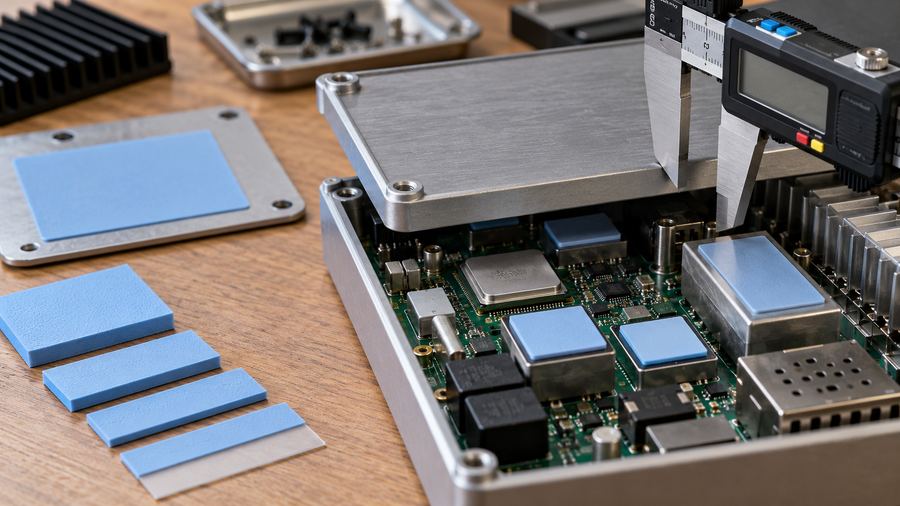
The installation mistakes that really raise temperatures
The most common mistake is swapping materials by their names instead of their functions. A paste is not a drop-in replacement for a pad over a standing gap. A generic silicone pad is not a drop-in replacement for paste under a low-clearance CPU cooler. Before changing either one, identify what the original part was doing.
Too much paste is another trap. The goal is coverage, not a thick blanket. Excess material can squeeze out; too little can leave uncovered zones. Clean mating surfaces and an even mount matter. Once you separate a joint, inspect and usually replace the old grease rather than trusting a torn or contaminated film. Also confirm whether the exact paste is electrically conductive. A label that says “thermal” tells you nothing about that risk.
Pad thickness by eye causes quieter trouble. Uncompressed thickness is not the thickness inside the finished product. Compression depends on the material’s stress–strain behavior, the area, the clamping system, and surrounding parts. There is no universal percentage that makes every pad correct. Stacking two pads is usually a poor shortcut: it creates another interface, invites trapped air, and makes the stack harder to control. A single qualified construction is easier to predict.
Leaving a release liner in place sounds silly until a hot unit turns up on the bench. Some liners are clear and cling tightly. Check both faces before closing an assembly. Also check that the pad has not slid onto a small capacitor or left a corner of the hot component exposed. On a large pad, even a small placement error can change which parts see pressure.
Mixing paste and pad in the same joint is not a casual fix. You can add thickness, create a slippery layer, trap air, or change how the pad compresses. Use both materials in the same device when they serve separate joints, yes. Do not make a paste-pad sandwich unless the entire interface has been designed and tested that way.
Then there is aging. Grease may pump out under repeated expansion and contraction, dry or separate, or become contaminated. A soft pad can take a compression set, lose contact after repeated cycles, tear during service, or shift. Neither failure has a universal countdown clock. A well-designed interface may last through the intended service life; a badly fitted one can fail quickly. Watch temperatures under comparable loads, inspect contact evidence during service, and follow the material supplier’s reliability data.
What test data and standards should settle a close call?
If you are choosing for production, get past the single headline number. The current ASTM D5470-17(2024) method covers steady-state thermal impedance measurement and calculation of apparent conductivity for thermally conductive electrical-insulation materials. It includes materials such as greases and soft solids. Importantly, ASTM notes that its idealized heat-flow setup does non directly reproduce most practical assemblies. That is a good reminder to test the actual product, not just the coupon.
For a fair comparison, document sample thickness, test pressure, mean temperature, conditioning, and whether the results are before or after thermal cycling. If one supplier quotes conductivity under one method and another quotes impedance at a different load, those figures are not an apples-to-apples contest.
Electrical requirements need their own evidence. If the TIM must insulate a power device from a heat sink, review dielectric strength and the complete clearance design. ASTM D149 is a commonly used dielectric breakdown test for solid insulation, but its specimen result does not certify your assembled product. Where the surrounding product requires it, check applicable flammability classification such as UL 94, and ask for current RoHS or REACH documentation. Those are different kinds of requirements: a thermal test, an electrical test, a flammability classification, and material-regulatory declarations are not interchangeable badges.
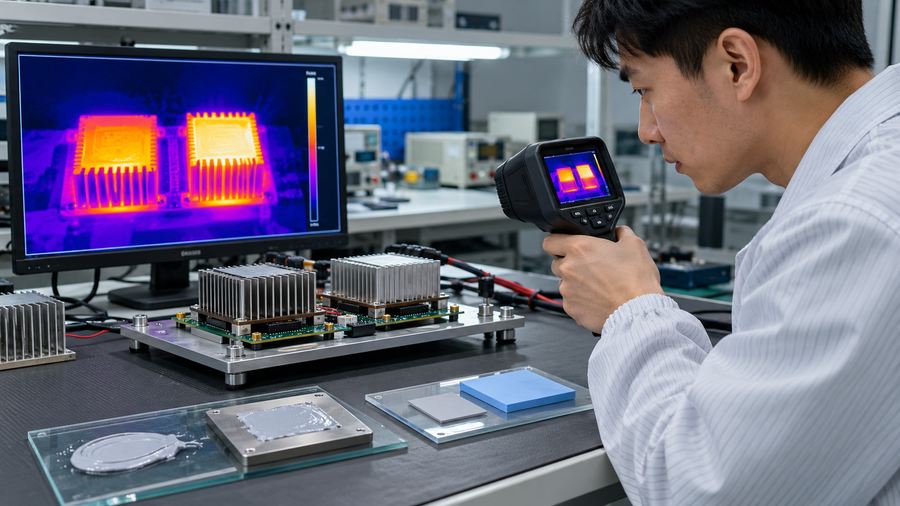
Finally, run a controlled device test. Keep the ambient condition, workload, mounting procedure, and sensor locations as consistent as possible. Look at the hot chip et nearby components. A GPU core improvement paired with overheated VRAM is not a win. If the assembly will see vibration or repeated temperature swings, cycle it and check contact again. The boring repeat test often catches what the impressive brochure number misses.
A five-step way to choose without guessing
- Map the joint. Identify the heat source, the receiving surface, contact area, and whether the finished assembly has a thin contact or a true gap. Measure worst-case as well as nominal dimensions.
- Set the non-thermal limits. How much clamping force can the chip and PCB take? Is electrical insulation required? Will the product see vibration, rework, contamination limits, or automated assembly?
- Shortlist by material family. Thin clamped joint: evaluate paste and, where appropriate, processor-grade PCM. Controlled gap: evaluate a pad. Uneven, hard-to-control gap: consider putty or a dispensable gap filler. This narrows the field before you compare grades.
- Prototype in the real stack. Check contact prints, compressed thickness, screw engagement, and temperatures at all affected parts. Compare candidates under the same test conditions.
- Validate the life you expect. Thermal-cycle or otherwise stress the assembly to match its job. Record the material grade, placement, lot, and service procedure so the result can be repeated, not just celebrated once.
That process is less glamorous than choosing the largest number on a package. It is also much less likely to leave you with a beautifully padded, badly cooled device.
Conclusion
Thermal paste and thermal pads solve different contact problems. Paste suits a thin, well-clamped joint that needs to fill surface texture. A compressible pad suits a real gap that needs controlled contact without excessive force. A PCM sheet or putty may be the better answer when the geometry and process call for one. Start with the assembled gap and pressure, then test the full heat path. The “winner” is the material that still touches the right surfaces after the screws are tight and the product has lived a little.
Foire aux questions
Is thermal paste better than a thermal pad for a CPU?
For a typical tightly clamped CPU cooler, paste is usually the right starting point. A thick silicone gap pad is generally not. A processor-grade PCM sheet is a separate option if it is qualified for that CPU, cooler, and mounting pressure.
Can I put thermal paste where a thermal pad used to be?
Only if the joint is actually thin enough for paste and the assembly is validated that way. On VRAM, VRMs, or an SSD, the original pad often bridges a real gap. Paste may never reach the cooler across that space.
Can a pad replace paste on a GPU die?
A generic gap pad usually should not. A suitable PCM sheet may work in a design that supports it. Check die contact, cooler pressure, core temperature, and nearby memory temperature after any change.
Why did my GPU core get hotter after I changed the memory pads?
The new pads may be thicker or firmer, lifting or tilting a shared cooler plate. The memory can look well covered while the die loses pressure. Recheck the stack, compressed thickness, and contact print.
Does a higher W/m·K rating always mean a cooler device?
No. Installed thickness, contact quality, pressure, and test conditions can outweigh a conductivity label. Compare thermal impedance under similar conditions and confirm the result in the assembled device.
How do I choose the right thermal pad thickness?
Measure the finished gap range, then use the supplier’s thickness tolerance and compression-force data. Make sure the pad contacts both sides at the largest gap without overloading parts at the smallest one.
Can I stack two thermal pads?
It is usually better to use one qualified pad of the right construction. Stacking adds an interface, can trap air, and makes thickness and movement harder to control. Test any exception rather than assuming it will behave like one thicker pad.
Les pads thermiques sont-ils électriquement isolants ?
Some are, some are not. Many ceramic-filled silicone gap pads are designed to insulate, while graphite and other specialty sheets may conduct electricity. Verify the exact grade and the complete assembly’s electrical clearances.
How often should paste or pads be replaced?
There is no reliable universal interval. Product quality, temperature cycling, mounting, contamination, and service history all matter. Replace material that is torn, dried, displaced, contaminated, or disturbed during a teardown as the product instructions require.
Can a laptop or graphics card use paste and pads at the same time?
Yes. Paste or PCM may serve the processor or GPU die, while pads serve memory and power components under the same cooler. They belong in different joints. Do not casually layer them together within one joint.