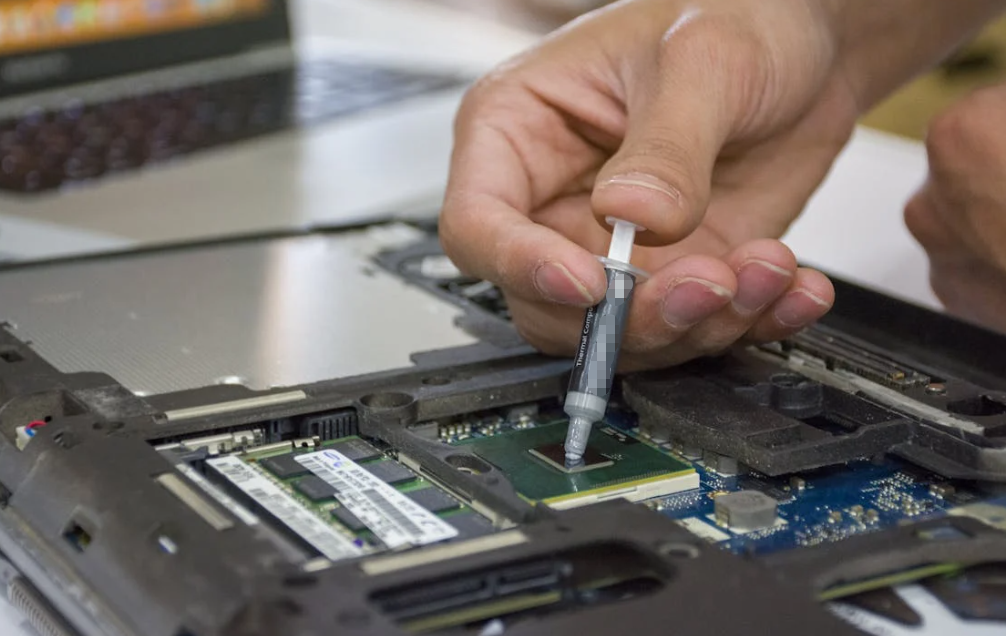
Open up a phone charger, a coffee machine or a garage-door remote. Somewhere inside, you will probably find a thin board with tiny parts and a web of copper lines. That is a printed circuit board, or PCB. It keeps the parts in place and gives electricity planned routes between them.
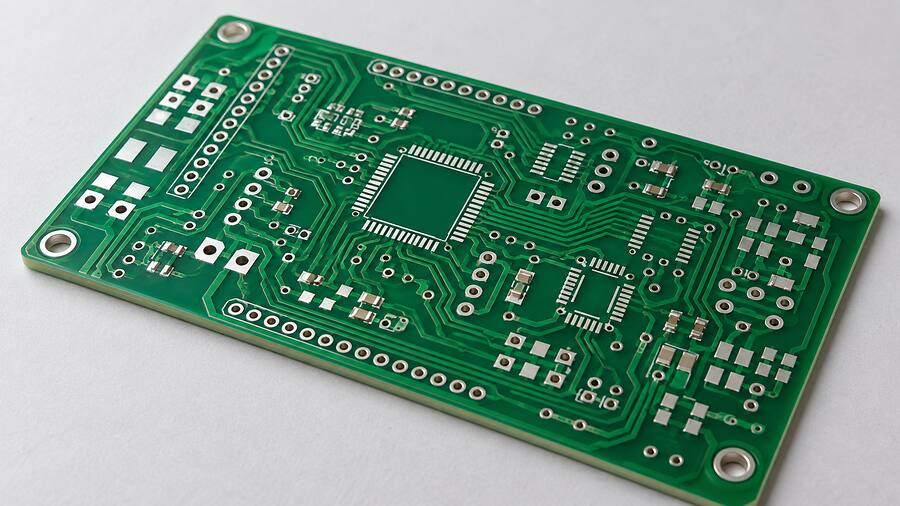
The green color is familiar, but it is hardly the point. A PCB might be blue, black, flexible enough to fold, or built with an aluminum base to help move heat. Some boards carry a simple switch and LED. Others manage power in an electric vehicle or shuttle signals through a network switch.
If the terms sound like a pile of initials, no worries. Let’s start with the board itself, follow one connection across it, and then look at the materials and choices that make a real product last.
What Is a Printed Circuit Board, Really?
A PCB is a structured base that supports electronic parts and connects them through patterned conductive paths. Most familiar boards use copper for those paths and an insulating material beneath or between them. Imagine the board as a small street plan: the copper defines where traffic may go, while the base keeps neighboring streets from touching.
The board does two jobs at once. It holds parts such as chips, connectors and capacitors in predictable positions. It also provides electrical routes for power, signals and their return paths. Those routes can be repeated accurately in production. You do not have to hand-wire each device from scratch.
People often say “PCB board.” Strictly speaking, the B already means board, so the phrase repeats itself. It is common enough in everyday conversation, though. Nobody needs a lecture over it.
There is one distinction worth keeping. A bare PCB has its copper patterns, holes, coatings and connection pads, but the intended electronic parts have not yet been mounted. A printed circuit board assembly, 、または PCBA, has components fitted and soldered to it. A bare board may have a complete network of copper. It usually cannot perform the intended product function on its own.
Think of a thermostat. The bare board lays out the connections. Add a temperature sensor, processor, power parts and a display, and now you have an assembly that can measure a room and respond. Add an enclosure and software, and you are closer to the finished device.
How Does a PCB Carry Power and Signals?
Picture a simple doorbell controller. Press the button and the circuit sends an input to a small controller. The controller decides what to do, then drives a buzzer or an LED. The copper on the PCB carries those connections. It does not make the decision; the mounted components do.
Copper traces, pads and planes
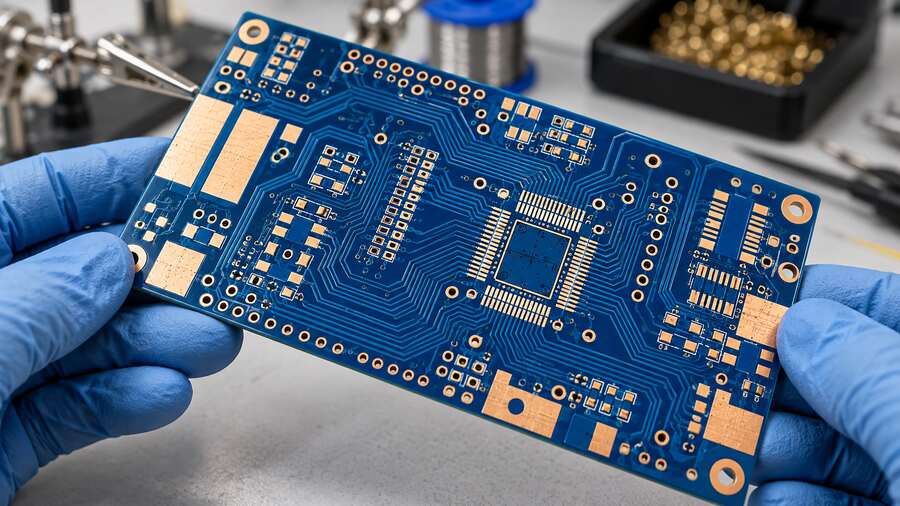
A trace is a patterned strip of copper that connects points on the board. A パッド is an exposed copper area where a component lead, connector or test probe can make contact. On a multilayer board, a broader copper plane may help distribute power or provide a return path for signals.
Trace width, copper thickness and layout affect how a board handles current, heat and electrical noise. So a line on a design screen is more than a line. Engineers size and route it for the circuit’s actual job. A small sensor signal and a power converter’s high-current path should not be treated as if they were the same thing.
Vias: the little passageways between layers
When a route needs to reach another copper layer, the designer can use a via. This is a small hole or connection structure with conductive plating that joins selected layers. It is a bit like taking a stairwell between floors. The copper goes where it is meant to go; the insulating material separates the rest.
Signals need a suitable return path as well as an outgoing route. For fast digital or radio-frequency designs, the relationship between a trace and nearby ground copper can be especially important. That is why a PCB layout involves electrical design, not just fitting as many lines as possible into an empty space.

What Are the Main Parts and Layers of a PCB?
Start at the center. A rigid board often uses a glass-fiber and epoxy laminate, commonly called FR-4. It gives the board shape and keeps separate copper paths electrically apart. Copper foil is bonded to the laminate and patterned into the required circuits. A multilayer board sandwiches more copper and insulating layers together.
On the outside, a solder mask covers much of the copper. It helps keep solder where it belongs during assembly and protects covered areas. The familiar green appearance usually comes from this mask, though other colors work too. A silkscreen or legend adds printed identifiers: component names, connector labels and helpful marks for assembly or service.
Exposed connection pads need an appropriate surface finish so they can be soldered or contacted as specified. Holes may take component leads, mounting hardware or plated connections between layers. Look closely and the board stops seeming like one flat green sheet. It is a carefully built stack.
| 特徴 | What it does in plain English | What can go wrong |
|---|---|---|
| Insulating substrate | Holds the board together and separates conductors | Wrong material for heat, frequency or bending |
| Copper trace or plane | Carries signals, power or return current | Poor routing, inadequate current path or excessive heat |
| Via | Connects selected copper layers | Defective plating or an unsuitable design for the build process |
| Solder mask | Covers selected copper around solderable areas | Coverage or alignment problems |
| Pad and surface finish | Lets a part or connector make a reliable connection | Poor solderability or damage during handling |
| Silkscreen | Labels parts and locations | Confusing markings that slow assembly or repair |
What about the little blocks and cylinders sitting on top? Resistors help set or limit current. Capacitors store small amounts of energy and help smooth or filter electrical behavior. Integrated circuits process information or control a function. コネクタ link the board to power, sensors or other boards. MOSFETs, diodes and other power devices switch or steer current. Their heat and electrical spacing may be major design concerns.
Those parts can attach by surface-mount technology, where they sit on pads on the board surface, or by through-hole mounting, where leads pass through holes and are soldered. Many assemblies use both. A power connector may need one mounting approach while tiny signal parts use another.
Which PCB Materials and Types Are Common?
“PCB type” can describe the number of copper layers, the board’s shape, or the material it uses. These are different choices. A flexible circuit can be multilayer, for example. A rigid board can have one or many copper layers.
Single-sided boards route copper mainly on one face. Double-sided boards have copper on both outer faces. Multilayer boards add copper inside the stack, giving a designer more ways to route signals and distribute power. More layers can solve real layout problems, but they add fabrication decisions and cost. The right count comes from the circuit, not from a universal rule that four must always be better than two.
硬質 boards keep their shape. Flexible circuits use materials such as polyimide where the design must bend or fit a tight space. A rigid-flex design joins rigid sections with flexible sections in one construction. Metal-core boards use a metal base, often for applications where heat spreading matters. High-frequency systems may call for specially characterized laminates instead of an ordinary general-purpose FR-4 choice.
| 建設 | A situation where it may fit | Question to ask first |
|---|---|---|
| General-purpose FR-4 rigid PCB | Controllers, appliances and many everyday electronics | Do the electrical, thermal and assembly requirements match the specified laminate? |
| Multilayer rigid PCB | Crowded routing, controlled return paths or more complex power distribution | What stack-up and fabrication limits does the design need? |
| Flexible or rigid-flex PCB | Moving connections or compact mechanical packaging | How often, how tightly and where will it bend? |
| RF-oriented laminate | A circuit sensitive to dielectric behavior or signal loss | Which frequency and loss targets matter in the full stack? |
| Metal-core PCB | LED or power designs with a defined route toward a heat sink | Does the complete heat path, including the interface, meet the temperature target? |
There is a trap here: a material name is not a complete specification. “FR-4” alone does not tell you every thermal, dielectric or processing property of a finished board. The supplier’s exact laminate, layer stack and fabrication data matter. Likewise, an aluminum-backed board does not magically cool itself. Heat still has to travel from the hot component through the board and into somewhere useful.
How Does a PCB Become a Working Assembly?
The process starts before anyone touches a sheet of laminate. An engineer draws a schematic, which says how the components should connect. Then the PCB layout turns that plan into real component locations, copper geometry, layers, holes and clearances. Design checks catch some obvious conflicts before files go to the board fabricator.
For a typical rigid board, the fabricator patterns copper, builds and bonds the layer stack, drills holes, plates connections where needed, then adds solder mask and a specified surface finish. The exact order and methods vary with the construction. A finished bare board is inspected and electrically tested to the agreed requirements.
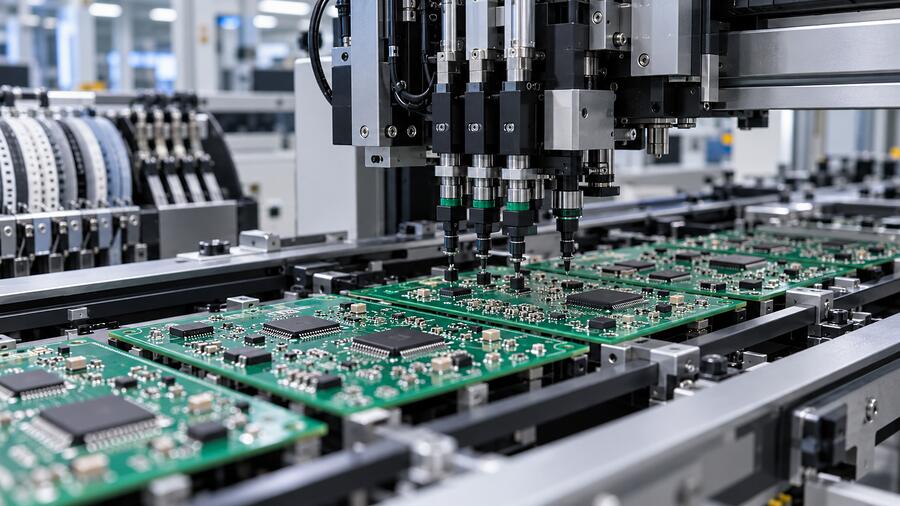
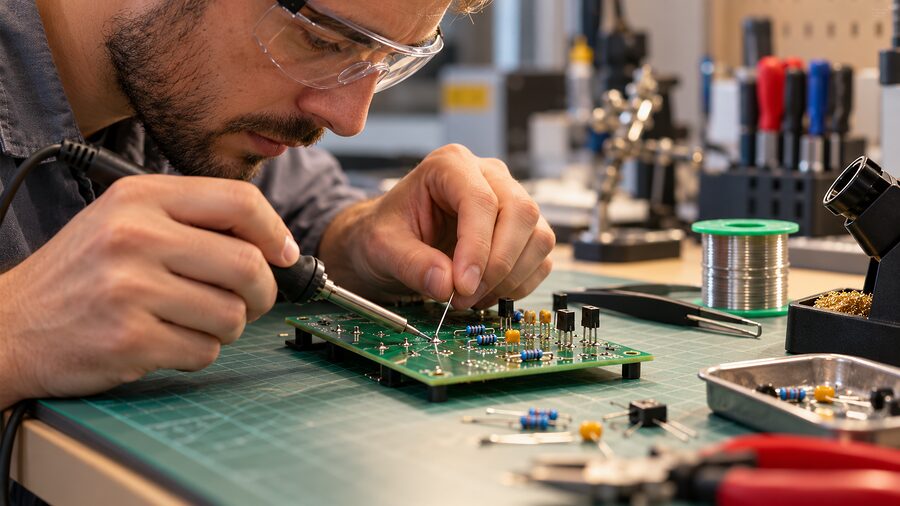
Assembly comes next. A manufacturer places surface-mount parts, solders them, adds any through-hole parts, and inspects the result. The assembly may then go through electrical, functional or other product-specific tests. The drawing and the assembled device are related, but they are not the same thing. A beautiful layout file cannot rescue a misplaced part or a bad solder joint.
An ordinary example helps. Say you are building a small desk fan controller. The board holds a switch, a speed-control chip, a power connector and a motor connection. The copper links those parts in the planned pattern. Once they are soldered, the board can respond to a button press and control the fan. Once it goes into its case, engineers also have to think about airflow, dust, vibration and a warm power component beside the plastic housing.
This is where a surprising number of design decisions show up. How will the board be mounted? Can a technician reach a connector? Will a heat sink fit without pushing on a capacitor? It is easier to answer these questions while the layout can still move.
Where Do Printed Circuit Boards Show Up?
Pretty much wherever electronics need a repeatable physical circuit. A phone squeezes dense signal and power connections into a small space. A household appliance may use a simpler control board. A vehicle can have boards for battery monitoring, lighting, infotainment and power conversion. Industrial controllers and telecom equipment may operate for years in warm cabinets or outdoor enclosures. Medical devices add their own product-specific reliability and regulatory demands.
The board changes with the job. An LED lighting assembly may care deeply about getting heat into an aluminum housing. A high-speed network board cares about routing and signal integrity. An EV controller may have to tolerate vibration, electrical stress and temperature swings. Even a tiny sensor board can fail if moisture reaches the wrong place.
Here is the practical point: choosing a circuit board means choosing for the finished device, not for a green rectangle in isolation. The board, components, enclosure and cooling arrangement all share the work.

What Makes a PCB Reliable in the Real World?
Passing an electrical check at the factory is a start. Then the assembly has to live through heat, handling, humidity, vibration and time. Different failures need different fixes, so first find the path by which the trouble begins.
Electrical and assembly issues
An unintended copper bridge can cause a short. A cracked trace, weak via connection or bad solder joint can leave a circuit open or intermittent. In higher-voltage designs, the separation along a surface (creepage) and through air (clearance) must suit the voltage and environment. These distances belong in the board design; a coating should not be used as a casual excuse to ignore them.
Inspection and testing follow the specific product and build agreement. A board can pass a simple continuity test yet still have a mechanical or thermal weakness that only appears later. If a device fails after a drop, for instance, look at connectors, solder joints, board support and enclosure movement before blaming the chip.
Heat needs a complete route out
Power parts and some processors turn a portion of their electrical input into heat. Copper planes and thermal vias can help spread that heat, but where does it go next? Perhaps into moving air, a heat sink or the metal enclosure. If a gap separates a hot package from its cover, a suitable サーマルインターフェースマテリアル can help replace insulating air and make better contact.
The details matter. An interface that is too thick or too stiff can raise thermal resistance or press too hard on a thin board. Where component heights vary, thermal putty for uneven gaps may be worth evaluating. That does not mean it suits every assembly or electrical clearance. Engineers need to check placed quantity, squeeze-out, contact after cycling and service access.
Consider a board under a metal lid. One chip is tall, two are shorter, and the board bows a little during fastening. A single hard sheet may touch the tall chip and miss the shorter pair. Choosing a softer interface, adjusting the housing or changing the pad layout may solve the actual geometry. Before picking a thickness from a catalog, measure the gap across the full tolerance range. Check the hottest device at the final assembly pressure, too. A large W/m·K value on a data sheet cannot describe all those contacts by itself.
Moisture, contamination and mechanical strain
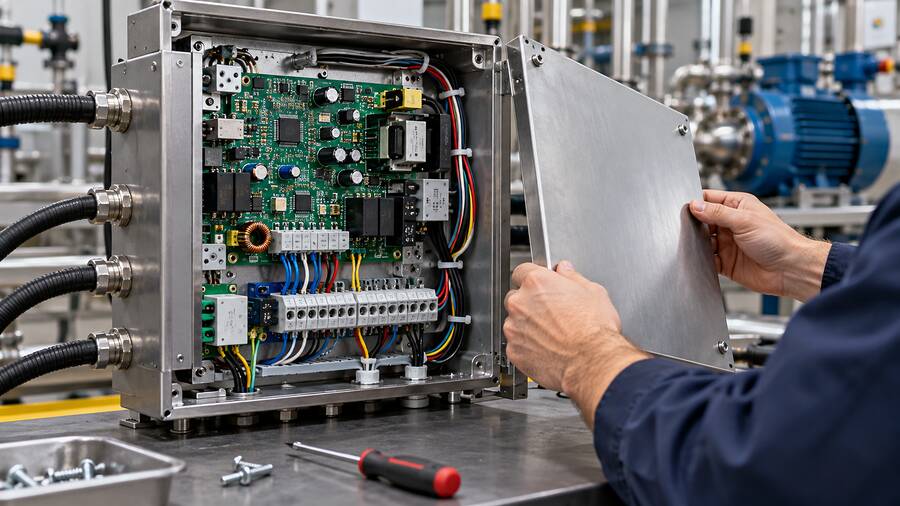
An outdoor controller can encounter condensation. An industrial board may face oil mist or cleaning residue. A vehicle assembly may see vibration and temperature changes. The fix depends on what needs protection and whether the product must be repaired later.
A conformal coating forms a relatively thin film over selected areas of an assembled board. Potting fills more of a cavity around parts. Adhesives and underfills can support particular parts or joints. These coating, bonding and encapsulation options are different tools. Potting can make rework difficult; a coating needs masking and coverage control; a stiff adhesive can transfer stress to a component. More material is not automatically more reliable.
| 見られる現象 | What to check first | Possible direction |
|---|---|---|
| A power chip runs hot | Heat generation, contact, gap, airflow and enclosure temperature | Improve the real heat path; verify temperatures after assembly |
| The board bends when the lid closes | Gap range, interface stiffness, fasteners and stops | Reduce the closure load or change the interface geometry |
| Failures appear after humidity exposure | Condensation, ionic residue, exposed conductors and seals | Clean and protect the relevant areas; validate the whole enclosure |
| Intermittent operation during vibration | Connectors, solder joints, board mounting and heavy parts | Support the assembly and test it under the actual vibration profile |
Notice the pattern? Start with the symptom and the physical path. Then select a material or design change. Swapping in a more expensive compound without understanding the failure can be an impressively costly way to stay stuck.
Which PCB Standards Should a Beginner Recognize?
The standards landscape gets busy fast. You do not need to memorize every document to understand the division of labor.
その IPC-2220 design series, including IPC-2221’s generic board-design requirements, helps frame how boards are designed; see the official IPC board design standards overview. IPC-6012 concerns qualification and performance requirements for rigid printed boards, while IPC-A-600 deals with visually observable bare-board acceptability. IPC-A-610 addresses acceptance of assembled electronic products. The IPC standards guide explains these distinctions and current editions.
These documents do different jobs. A bare-board inspection reference is not a substitute for assembly acceptance, and neither by itself proves a finished product will survive its actual environment. The contract, product sector and current agreed revision determine what applies. Ask the fabricator and assembler which requirements they are working to, and put the needed criteria in the build documentation.
A Sensible First PCB Selection Checklist
Before choosing a board stack or ordering a prototype, write down a few things:
- What does the circuit do, and how much routing space does it need?
- Which signals and power paths need special attention?
- Will the board stay rigid, bend once during installation, or flex repeatedly?
- Where will heat go after it leaves the components?
- What voltage, contamination, moisture and temperature conditions will it face?
- Can the chosen fabricator build and inspect the proposed features?
- How will the finished assembly be mounted, tested and serviced?
That list is not glamorous. It is useful. A simple board chosen with the whole product in mind often beats an elaborate board with an unsolved heat or mounting problem.
結論
A printed circuit board gives electronic parts a stable home and gives current deliberate routes between them. Its copper, insulating layers, holes and coatings do the groundwork; mounted parts turn that groundwork into a working assembly.
Once you can spot those pieces, the next decisions become easier to discuss: how many layers make sense, which material fits the environment, where the heat should go, and how the assembled board will be protected. The best PCB choice is the one that works in the actual product, after the screws are tight and the device has been running for a while.
よくある質問
What does PCB stand for?
PCB stands for printed circuit board. It is a board with patterned conductive connections that support and connect electronic components.
Is “PCB board” incorrect?
It repeats the word “board,” since that is already the B in PCB. People still say it, and the meaning is clear. In technical writing, “PCB” or “printed circuit board” reads more cleanly.
What is the difference between a PCB and a PCBA?
A PCB usually means the bare board with its patterned copper and other fabricated features. A PCBA is a printed circuit board assembly with components mounted and soldered. Be aware that people sometimes use “PCB” casually to refer to a populated board, so check the context.
Why are most PCBs green?
The common green color comes mainly from the solder mask applied to the board surface, not from the copper or the inner laminate. Masks are also made in other colors. Color alone does not tell you whether one board is electrically better than another.
What is FR-4 on a circuit board?
FR-4 refers to a family or grade designation of glass-reinforced epoxy laminate used in many rigid boards. It provides structure and electrical insulation. The precise performance depends on the specific material and construction, so ask for the actual laminate specification when it matters.
Can a PCB work without components?
A bare board can carry copper connections and can be tested for them. But it normally needs mounted parts, power and often software to do the job of an electronic product. A trace by itself will not process a sensor reading.
What is a via on a PCB?
A via is a conductive connection between selected copper layers, often formed through a plated hole. It lets a route move from one layer to another. Different via constructions have different fabrication limits.
Should I use a two-layer or four-layer PCB?
It depends on the circuit. Two layers may be plenty for a simple, roomy layout. Four layers can help with routing and continuous reference or power planes when the design needs them. Review signal behavior, current paths, size and fabrication cost with the board designer instead of choosing by habit.
Is a flexible PCB the same as a rigid-flex PCB?
No. A flexible PCB is made to bend in defined areas. A rigid-flex board combines rigid sections and flexible sections in one designed structure. The bend location and expected movement matter in both cases.
How do you protect a PCB from heat and moisture?
Handle each path separately. For heat, define how energy leaves the hot component and reaches air, a heat sink or a housing. For moisture, consider the enclosure, cleaning, seals and, where appropriate, coating or encapsulation. Test the finished assembly under the intended conditions; one material alone rarely solves the whole problem.