
For a mainstream desktop CPU with no pre-applied compound, start with a small center deposit, somewhere between a grain of rice and a small pea. That is a useful starting point, not a law. The correct amount is the minimum that forms a thin, continuous film over the heat-producing area after the cooler is installed.
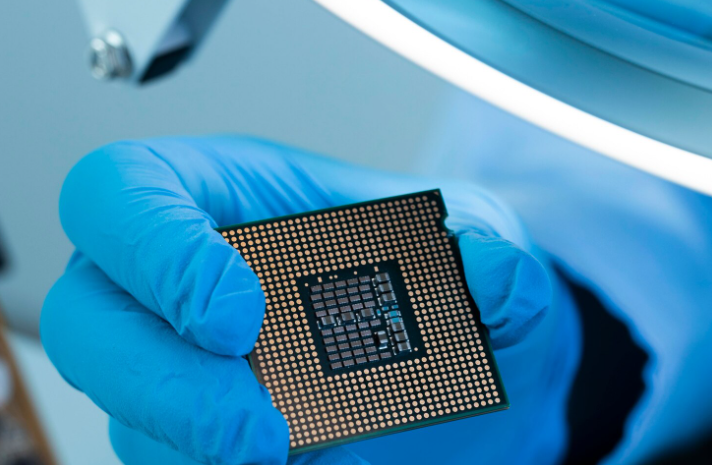
A larger or longer heat spreader may need several dots, a short line, or a controlled full spread. A bare laptop CPU or GPU die needs a thinner, more deliberate application. And if the cooler already has an intact factory-applied thermal interface material, add nothing.
So, yes, amount matters. But coverage, final thickness, and mounting pressure matter more than whether the blob looks exactly like a pea.
The Right Thermal Paste Amount Is About Coverage, Not Pea Size
Thermal paste, also called thermal grease or thermal compound, fills microscopic valleys between two surfaces. A CPU lid and a cooler may look smooth, but under magnification they are more like two roads with tiny cracks and bumps. Put them together dry and small air pockets remain. Air transfers heat badly, so those pockets raise contact resistance.
Paste pushes air out of those microscopic spaces. It does not replace the metal-to-metal heat path with a thick soft layer. In fact, the cooler and processor should sit as close together as the mechanical design allows.
Think of paste as a very thin coat of mortar between two almost-flat tiles. It is not icing between two cake layers. If the interface has a visible gap, thermal paste is probably the wrong material.
What Enough Thermal Paste Looks Like After Mounting
A good installed interface has five basic features:
- The active heat area is covered.
- The bond line is thin.
- Large air pockets are absent.
- The cooler sits flat.
- Any squeeze-out stays controlled and electrically safe.
An exact universal dose does not exist. Material density, nozzle diameter, viscosity, contact area, and cooler pressure all change the final film. A measured mass that works in one assembly may be wrong in another.
This is also why thermal conductivity alone cannot tell you how much to apply. HAKTAK’s guide to choosing and testing thermal grease conductivity explains how material properties and test conditions affect reported performance. In the finished computer, coverage and interface thickness join that list.
How Much Thermal Paste Different CPUs and Dies Need
The contact area is the best place to start. Look at its size, shape, and construction before reaching for the syringe.
| Interface | Practical Starting Approach | Why It Fits | Main Caution |
| Small square desktop IHS | One small center dot | The paste has a short distance to travel | Tilting the cooler can leave a corner dry |
| Medium or elongated desktop IHS | Five dots or a short line, following supplier guidance | Spreads material along the longer package | One tiny center dot may not reach both ends |
| Large HEDT or Threadripper IHS | Multi-dot pattern or controlled full spread | The heat spreader and die layout cover a larger area | A mainstream CPU amount is usually too small |
| Laptop CPU direct die | Very thin, complete coverage when service guidance allows | The exposed die should not have dry corners | The die is fragile and nearby parts may be exposed |
| GPU direct die | Thin, complete die coverage | Heat comes directly from exposed silicon | Keep conductive material away from surrounding components |
| Industrial power device | Controlled deposit mass or volume | Production needs repeatability and traceability | A visual “pea” is not a process specification |
These are starting methods, not replacements for the thermal paste and cooler instructions.
Thermal Paste Amount for Intel LGA1700 and LGA1851 CPUs
Recent Intel desktop heat spreaders are longer than older square packages. A very small center dot may not spread cleanly toward both ends. A short line along the long axis or a five-dot pattern can make coverage more predictable. Follow the cooler manufacturer’s pattern first because it accounts for the supplied paste and mounting system. The goal is still a thin film, not a deep pool.
Thermal Paste Amount for AMD AM4 and AM5 CPUs
AM4 and AM5 processors have a more square shape. A center dot can work when the paste spreads easily and the cooler comes down evenly. Several small dots can improve edge coverage. AM5 has cutouts around its heat spreader where excess paste can collect, so apply enough for coverage without flooding the lid.
Thermal Paste for Threadripper and Other Large Heat Spreaders
A Threadripper or large workstation processor may have active silicon spread across several regions under a much larger IHS. One center blob can leave important areas dry. A multi-dot pattern or thin full spread is more sensible, following the paste and cooler instructions. The plate and heat map are different, so the amount should be different too.
How Much Paste to Use on a Laptop CPU or GPU Die
Many laptop processors and GPUs expose the silicon die directly. Use a very thin, complete layer when the service procedure calls for paste. Cover every corner without forming a thick ridge. A bare die can crack under uneven pressure, and nearby components make conductive-material spills more dangerous.
Dot, Line, X, Five Dots, or Full Spread?
People argue about paste patterns with the energy normally reserved for sports teams. Really, a pattern is only a delivery method. Its job is to put enough compound in the right places before mounting pressure spreads it.
| Pattern | Strongest Use Case | Coverage Confidence | Process Simplicity |
| Center dot | Small or square desktop IHS | Medium | High |
| Short line | Elongated IHS | Medium to high | High |
| Five dots | Medium and larger IHS | High | Medium |
| X pattern | Larger square or rectangular IHS | High | Medium |
| Manual spread | Bare die or very large IHS | Visually high | Lower |
When a Center Dot Works
A center dot is quick and repeatable. On a small square IHS, even cooler pressure can spread it across the important area. Its weakness is edge coverage. Stiff paste, a small deposit, or a tilted cooler can leave a corner dry.
When a Line or Five-Dot Pattern Makes More Sense
A short line suits an elongated heat spreader. Five dots place material in the center and nearer the corners. Both reduce spreading distance on medium and larger packages. Keep the deposits controlled. The outer dots should be smaller than the center one.
When to Use a Manual Full Spread
A thin manual spread gives visible coverage on bare dies and very large heat spreaders. Use the supplied spatula or a clean tool. Avoid deep ridges or visible dry areas. If the manufacturer says not to spread the product manually, follow that instruction.
No method can rescue a loose cooler, warped cold plate, missing mounting hardware, or a protective film left on the cooler base. Hardware contact still runs the show.
What Happens If You Apply Too Much Thermal Paste?
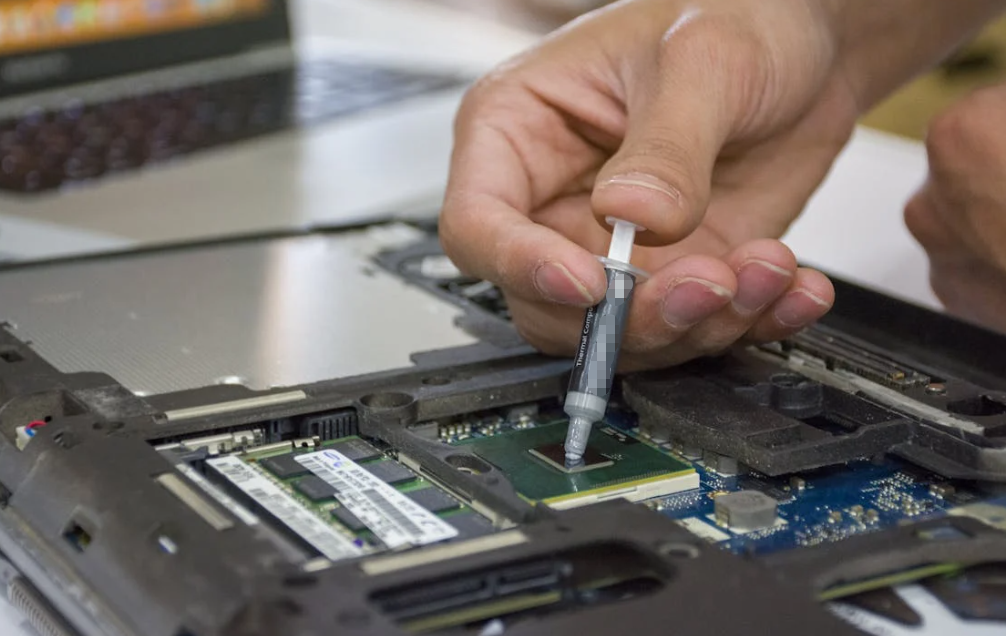
With ordinary non-conductive paste and a properly tightened cooler, modest excess is often pushed toward the edges. That is why a slightly large deposit does not automatically cause terrible temperatures.
In a controlled thermal paste quantity benchmark by GamersNexus, several applications produced results within a narrow range once enough paste covered the active area. The full spread from best to worst was less than one degree in that particular test. The test used one CPU, paste, cooler, mounting method, workload, and immediate measurement, so it should not be turned into a universal promise.
Too much paste can still:
- waste material and complicate service;
- contaminate the socket or surrounding components;
- create a short-circuit risk if electrically conductive;
- leave a thick film when mounting pressure is low;
- allow excess liquid metal to reach exposed parts.
So the practical answer is simple. A little extra non-conductive paste is usually less worrying than a dry hot area. A huge amount is still pointless.
Can Excess Thermal Paste Damage a Motherboard?
It depends on the material.
Many conventional ceramic- or carbon-filled compounds are electrically non-conductive. Other products may be conductive or slightly capacitive, while liquid metal is conductive and mobile. Color is not a safety certificate. The article on white versus gray thermal grease explains why the datasheet matters more than the shade.
If paste reaches a socket, connector, or small components, stop and clean it according to the product and hardware instructions before applying power.
What Happens If You Apply Too Little Thermal Paste?
Too little compound may spread into a small circle and leave uncovered areas around it. Those dry regions can trap air between the CPU and cold plate.
The result may include:
- higher package temperature under sustained load;
- one group of cores running hotter than the rest;
- fast temperature spikes;
- earlier thermal throttling;
- higher fan speed;
- poor performance despite a capable cooler.
Idle temperature can still look normal because the processor produces little heat. The weakness often appears during rendering, gaming, or another steady load. Cooler pressure can squeeze excess outward, but it cannot create material where none was deposited. Under-application is less forgiving.
Paste Material Changes the Required Application
Most CPU pastes combine a carrier with metal oxide, boron nitride, carbon, or metal particles. Formulation changes viscosity, wetting, pump-out resistance, electrical behavior, and spreading. A soft paste may cover a wide area from one dot. A stiff paste may need several deposits or a manual spread.
When choosing thermal paste for a CPU, look beyond the headline W/mK value. Ease of application, electrical safety, long-term stability, and compatibility with the cooler matter in actual use.
Liquid Metal Needs a Different Rule
Liquid metal is not ordinary paste with a better score. Gallium-based alloys are electrically conductive and are generally applied as an extremely thin film. They can also react with aluminum.
Do not apply a pea-sized drop of liquid metal and hope that the cooler handles it. Follow the product instructions, protect nearby components where required, confirm substrate compatibility, and use it only when the risk is justified. For most everyday CPU builds, a conventional non-conductive compound is simpler and safer.
Pre-Applied Paste and Phase-Change TIMs
Many stock coolers, AIO water blocks, and aftermarket coolers arrive with factory-applied paste or phase-change material. If that layer is intact and clean, add nothing. Mixing materials changes spreading and thickness. Use the factory layer or remove it fully and replace it.
How to Apply the Chosen Amount
This is the short version. For preparation, cleaning, mounting, and wider industrial handling details, use the complete HAKTAK thermal grease application guide.
- Read both instructions. Check the paste and cooler manuals before opening the syringe.
- Inspect the cooler base. If it has clean, intact pre-applied TIM, add nothing.
- Clean old material. Remove old compound from both mating surfaces with an approved cleaner and a lint-free wipe.
- Choose the pattern. Match it to the IHS or die size, material behavior, and supplier guidance.
- Dispense once. Avoid random extra dots added at the last second.
- Lower the cooler straight down. Sideways movement can drag the compound away from the intended area.
- Tighten gradually. Use the specified sequence, often alternating corners, until the cooler reaches its designed stop or torque.
- Do not lift and re-seat it. If the cooler comes off, clean both surfaces and start again with fresh paste.
Intel’s official thermal paste instructions also advise checking for pre-applied material, using a small amount, and applying fresh paste if the cooler must be removed.
How to Tell Whether the Amount Is Correct
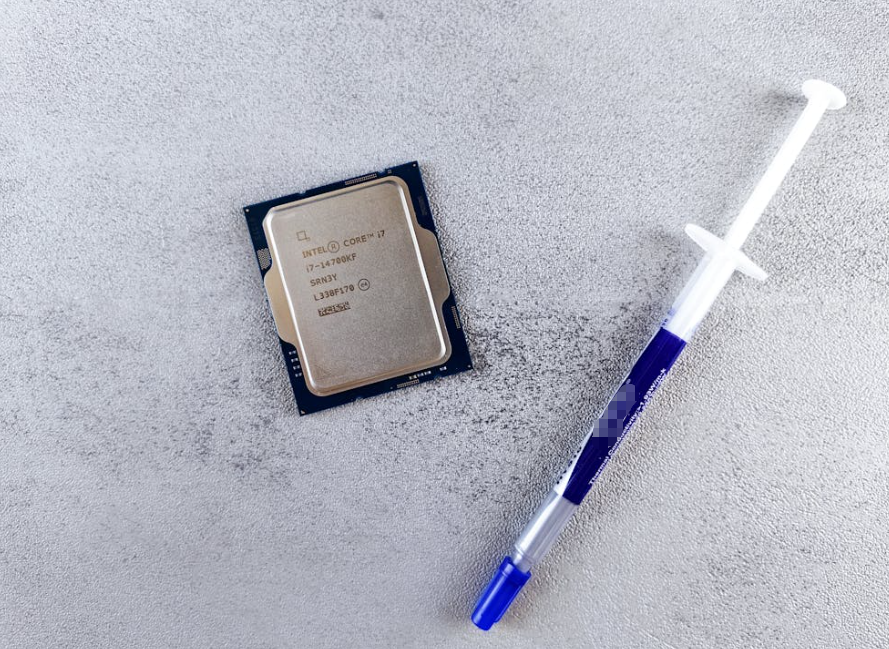
The best first check is not pulling the cooler off. It is testing the assembled system under a repeatable workload.
Record:
- room or intake-air temperature;
- CPU package power;
- package and core temperatures;
- fan and pump settings;
- clock speed;
- workload and test duration.
Compare the result with the same system’s baseline or reliable expectations for that CPU and cooler. Another computer’s screenshot is weak evidence because ambient temperature, power settings, cases, fans, and silicon samples differ.
Look for Patterns, Not One Magic Temperature
Warning signs include:
- the CPU quickly reaches its thermal limit under a moderate load;
- clock speed falls even though the cooler should be adequate;
- one section of the CPU remains much hotter;
- temperatures are far worse than before the cooler was serviced;
- the cooler rocks, sits crooked, or has uneven screw engagement.
Those symptoms do not prove the paste amount is wrong. A failed pump, blocked radiator, wrong bracket, protective film, loose fastener, or poor airflow can look similar.
Inspect the Imprint Only When Troubleshooting
If temperatures remain suspicious, remove the cooler and inspect the contact pattern. Look for broad coverage, dry areas, a heavy ridge on one side, or signs that the cooler never sat flat.
The opened imprint is useful evidence, but it is not a perfect photo of the operating interface. Surface tension pulls paste as the cooler separates. Once inspected, clean the surfaces and apply fresh compound before final assembly.
Common Thermal Paste Amount Mistakes
| Mistake | Likely Result | Better Action |
| Adding paste over factory-applied TIM | Excess and mixed layers | Use the intact factory application alone |
| Using one tiny dot on a very large IHS | Incomplete outer-area coverage | Match the pattern to package size |
| Using paste to bridge a visible gap | Thick, unstable thermal interface | Select a pad, putty, or gap filler |
| Mixing old and new compounds | Unknown spreading and aging behavior | Clean both surfaces and use one material |
| Lifting and pressing the cooler down again | Disturbed film and possible voids | Clean and restart |
| Tightening one corner fully first | Uneven pressure and spread | Tighten gradually in the specified sequence |
| Judging electrical safety by color | Possible board damage | Check the product datasheet |
Paste is intended for nearly mating surfaces. Where a component and enclosure have a real gap or uneven height, compare thermal putty and thermal paste before forcing grease into a job it was not designed to do.
Thermal Paste Amount in Repair and Production
For one home PC, a visual deposit may be enough. A repair shop needs more consistency across laptops, graphics cards, consoles, workstations, and servers. Technicians should record the device, compound, pattern, and test result. Service manuals matter, especially where one cooling assembly touches several components.
High-volume electronics production needs tighter controls. “Apply a pea” is not a work instruction. A controlled process may define:
- material and lot number;
- storage and conditioning;
- dispense mass or volume;
- dot or line coordinates;
- needle size, pressure, and dispensing speed;
- acceptable deposit tolerance;
- mounting sequence and torque;
- inspection method;
- thermal acceptance limits.
Repeatability is the point. One cool-running prototype does not prove that the next ten thousand assemblies will behave the same way.
Unused material also deserves attention. Seal the syringe, prevent contamination, and follow its storage instructions. The guide to storing unused thermal paste explains the practical checks before an opened tube is used again.
What Standards Say About Thermal Paste Quantity
There is no global standard that tells every PC builder to dispense one universal blob.
ASTM D5470-17(2024) covers steady-state thermal impedance and apparent thermal conductivity testing for thermally conductive electrical insulation materials. It helps engineers compare thermal-interface behavior under controlled conditions. It does not prescribe a consumer CPU paste dose.
That distinction matters. A lab value is not a finished-computer temperature. The installed result also depends on:
- bond line thickness;
- contact pressure;
- surface roughness and flatness;
- paste distribution;
- cooler thermal resistance;
- heat-source size;
- airflow or coolant temperature.
For production, the real standard is a validated assembly process covering material, amount, location, pressure, thermal targets, and reliability. Grease can also dry, separate, or pump out over time. If temperatures rise, inspect the full cooling system. HAKTAK’s overview of thermal paste service life provides a maintenance starting point.
Quick Thermal Paste Amount Checklist
Before mounting the cooler, ask:
- Does the cooler already have intact pre-applied TIM?
- Is the contact surface an IHS or a bare die?
- How large and elongated is it?
- What pattern does the paste or cooler manufacturer specify?
- Is the compound electrically conductive?
- Can the cooler be lowered straight down?
- Will the mounting system apply even pressure?
- Is paste being used only for a thin interface?
- Can the finished system be tested under a repeatable load?
- If the cooler is removed, is fresh paste available for reassembly?
Conclusion
For a mainstream desktop CPU, a grain-of-rice-to-small-pea amount is a sensible starting point. It is not a universal dose. The correct amount is the smallest repeatable deposit that creates a thin, continuous film across the active heat area after the cooler is mounted.
Small square CPUs often work well with one center dot. Longer packages may benefit from a line or five dots. Large workstation processors and bare laptop or GPU dies need more deliberate coverage. Manufacturer instructions should always beat a generic internet rule.
Too little paste can leave dry areas that mounting pressure cannot fix. Slight excess conventional paste may be squeezed out, but it wastes material and can create cleanup or electrical risk. Liquid metal needs far stricter handling.
In the end, do not chase a perfect-looking blob. Match the amount to the interface, mount the cooler evenly, and validate the finished system. That is what good thermal contact looks like in real life.
Frequently Asked Questions
How Much Thermal Paste Should You Apply to a CPU?
For most mainstream desktop CPUs, start with a deposit between a grain of rice and a small pea. Larger or elongated heat spreaders may need several smaller dots, a short line, or a full-spread method. Follow the paste and cooler instructions whenever they provide a specific pattern.
Is a Pea-Sized Amount of Thermal Paste Enough?
Usually, yes, for a mainstream desktop CPU. However, “pea-sized” is only a visual comparison. Paste viscosity, IHS dimensions, nozzle size, and mounting pressure all change the final coverage. Large workstation CPUs need more material distributed across a wider area.
What Happens If You Apply Too Much Thermal Paste?
A properly mounted cooler often pushes excess conventional paste toward the edges. Temperatures may not change much, but the extra compound is wasteful and messy. Conductive paste or liquid metal can damage nearby electronics if it escapes the interface.
What Happens If You Apply Too Little Thermal Paste?
Too little paste can leave dry areas and trapped air between the processor and cooler. Under load, this may cause hot spots, higher fan speed, thermal throttling, or unusually large temperature differences between cores.
Is the Dot, Line, X, or Spread Method Best?
There is no universal winner. A dot is simple for small square heat spreaders. A line or five-dot pattern can suit longer or larger packages. A thin manual spread is useful for bare dies and very large surfaces when the material instructions allow it.
Do Intel and AMD CPUs Need Different Amounts of Thermal Paste?
Not because of the brand alone. The important factors are the heat spreader’s size, shape, die layout, cooler contact area, and the paste’s spreading behavior. Recent elongated Intel packages and square AMD packages may benefit from different patterns.
Should You Add Paste to a Cooler with Pre-Applied Compound?
No. If the factory-applied layer is intact and uncontaminated, use it by itself. Adding another paste can create excessive thickness and unpredictable mixing. Remove the original layer completely only when you intentionally replace it.
Can Thermal Paste Damage a Motherboard?
Some compounds can. Many conventional pastes are electrically non-conductive, but metal-filled products may be conductive or capacitive. Liquid metal is electrically conductive. Check the datasheet and clean any spill before powering the system.
Should You Reapply Thermal Paste After Removing the Cooler?
Yes. Removing the cooler disturbs the film and may introduce air pockets when it is reinstalled. Clean both surfaces and apply fresh compound rather than trying to reuse the old pattern.
How Can You Tell Whether Thermal Paste Coverage Is Correct?
Test the assembled system under a repeatable workload while monitoring package power, temperature, fan speed, and clock behavior. If results remain abnormal, inspect the paste imprint for dry areas or uneven contact, then clean and reapply fresh compound.