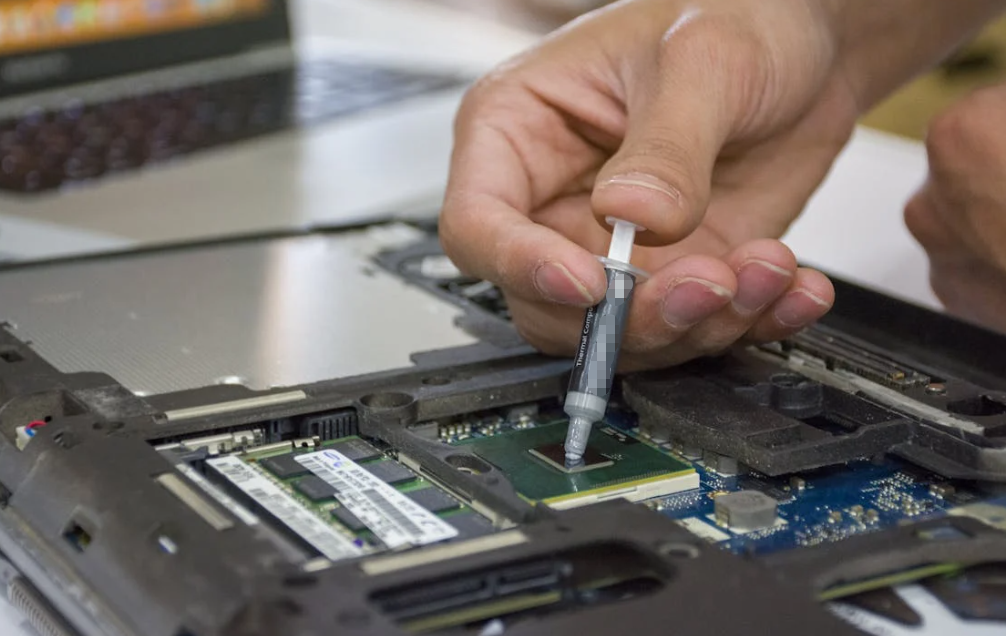
Thermal paste dries out when its liquid carrier is lost, migrates, separates, oxidizes, or gets pushed away from the hot area. High temperature speeds up these changes. Repeated heating and cooling can also move the paste sideways, a failure known as pump-out.

Prevention takes more than buying a paste with a big W/mK number. The formulation must suit the temperature and cycling profile. The surfaces must be clean. The bond line should be thin and continuous, and the cooler needs even mounting pressure. Good airflow helps too.
One more thing: paste that looks dry after the cooler is removed has not automatically failed. Temperature trends, device power, cooler condition, and the paste imprint must be considered together.
What Dried Thermal Paste Really Means
Thermal paste, thermal grease, and thermal compound are names for a soft thermal interface material. Most formulations contain three broad ingredient groups:
- a carrier fluid, often silicone oil or another synthetic fluid;
- thermally conductive fillers, such as metal oxides, boron nitride, carbon, or metal particles;
- additives that control wetting, separation, viscosity, and stability.
The carrier lets the filler-rich compound flow into microscopic valleys on the heat source and cooler. Think of fresh paste a little like wet concrete. Solid particles sit inside a fluid binder. If the binder escapes or separates, the remaining solids no longer form the same smooth, continuous interface.
Thermal Paste Dry-Out Is Not Always Evaporation
The word “dry” makes evaporation sound like the whole story. Sometimes volatile components do leave the material, especially at high temperature. But several mechanisms can produce the same crusty result:
- Volatilization: lighter fluid components gradually escape.
- Oil bleed: carrier fluid migrates out of the filler network.
- Phase separation: liquid and solid portions stop staying evenly mixed.
- Oxidation or polymer aging: heat and oxygen alter the formulation.
- Pump-out: thermal movement pushes material away from the active area.
- Contamination: dust, cleaning residue, or incompatible material disrupts wetting.
In a tightly clamped CPU interface, carrier fluid does not simply evaporate into a wide-open room. It may diffuse, collect at the edges, enter porous residues, or separate from the filler. So, yep, “dried out” is often shorthand for a more complicated material failure.
Dry-Looking Paste Has Not Always Failed
Some compounds become firmer during use and still transfer heat acceptably. Removing the cooler also pulls, tears, and reshapes the paste. The exposed imprint is not a perfect photograph of the loaded interface.
Use appearance as one clue. Give more weight to a controlled thermal trend:
- Has load temperature risen under the same package power?
- Is room or intake-air temperature similar?
- Are clocks falling or fans working harder?
- Is the cooler still mounted firmly?
- Did performance recover after a controlled fresh application?
A rough-looking layer with stable temperatures may be less urgent than a smooth-looking layer under a loose cooler.
Thermal Paste Dry-Out vs Pump-Out
Dry-out and pump-out can happen together, but they are not identical.
| Mechanism | What Happens | Typical Clue | Main Driver |
| Dry-out | Carrier is lost or redistributed | Hard, cracked, or crumbly residue | Heat, time, volatility, oxidation |
| Pump-out | Paste moves away from the active area | Thin or bare center with material at edges | Thermal cycling, CTE mismatch, shear |
| Oil bleed | Fluid separates from fillers | Oily halo beside dry-looking solids | Formulation, heat, pressure, storage |
| Poor initial contact | A good film never forms | Dry areas from the first mount | Amount, flatness, pressure, application |
Why Thermal Cycling Pumps Paste Out
A processor package, silicon die, copper cold plate, aluminum heat sink, and circuit board do not expand by exactly the same amount. Every hot-cold cycle creates tiny relative movement.
That movement shears the paste. Over many cycles, material can creep from the center toward the perimeter. The hot center then develops thinner coverage, voids, or exposed regions. Meanwhile, a ring of paste may remain near the edge.
The Igor’sLAB analysis of thermal paste pump-out discusses how vibration and small relative movements create shear forces that displace paste. The exact result still depends on the device, paste, bond line, and mounting system.
Pump-out is a bit like repeatedly pressing the middle of a soft sandwich. The filling does not disappear. Much of it moves somewhere less useful.
Seven Reasons Thermal Paste Dries Out Prematurely
High Continuous Temperature Accelerates Paste Aging
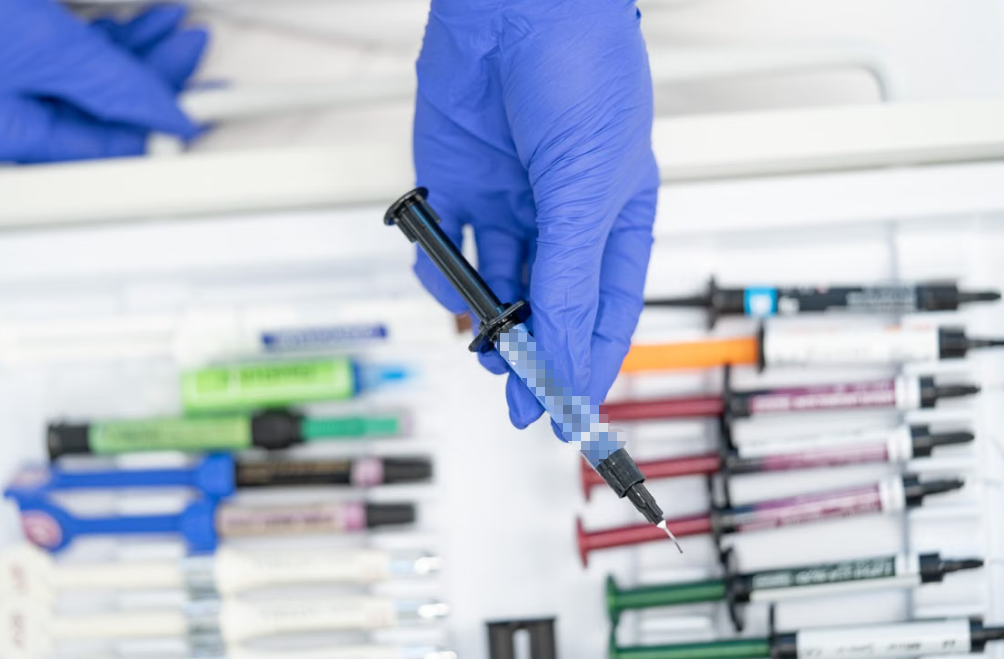
Heat speeds diffusion, volatilization, oxidation, and fluid separation. A paste used close to its maximum service temperature may age faster than the same material in a cooler assembly.
High temperature can also lower viscosity while the device is operating. The paste flows more easily, then stiffens as it cools. Repeating that cycle puts stress on its internal structure.
Dust does not directly suck moisture from thermal paste. It blocks fins and reduces airflow, which raises operating temperature. That extra heat can accelerate aging. The distinction matters because repasting a dust-clogged cooler does not fix the root cause.
Wide Hot-Cold Cycles Promote Pump-Out
A system that stays at a moderate steady temperature may be easier on paste than one that jumps from cool idle to high load dozens of times each day.
Gaming bursts, laptop sleep-wake cycles, server workload changes, and vehicle start-stop operation all create temperature swings. Large swings increase expansion mismatch and shear.
Unsuitable Rheology Reduces Long-Term Stability
Rheology describes how the paste flows and deforms. Low-viscosity paste may spread easily but migrate under cycling. A very stiff paste may resist movement but fail to wet the surface under limited clamp pressure.
Useful properties include:
- pump-out resistance;
- controlled oil bleed;
- suitable yield stress;
- stable viscosity over temperature;
- good surface wetting;
- low volatility.
The best balance depends on the assembly. A paste that works nicely under a rigid desktop cooler may behave differently on a thin laptop cold plate.
Poor Mounting Pressure or Flatness Creates Weak Contact
Loose screws, uneven torque, board flex, worn springs, and warped surfaces can leave a thick or uneven bond line. The paste then has more space to move, separate, or form voids.
Very high pressure is not automatically better. It may squeeze too much compound away or stress a bare die and circuit board. Use the cooler’s specified fasteners, tightening sequence, stops, or torque.
Wrong Amount or Bond Line Leaves Dry Areas
Too little paste can leave uncovered regions from day one. Too much can create heavy edge squeeze-out and a thicker thermal path if mounting pressure is weak.
The goal is a thin continuous film over the active heat area. A pattern should suit the package shape and paste behavior. More paste is not a durability coating.
Contamination and Mixed Compounds Disrupt the Interface
Finger oil, dust, lint, old residue, and solvent that has not dried can reduce wetting. Mixing two pastes is also risky. Different base fluids, fillers, and additives may separate or react in ways that neither manufacturer tested.
If the cooler is removed, do not press it back onto the disturbed layer and hope for the best. Clean both surfaces and use one fresh, compatible material.
Harsh Environment and Poor Storage Damage Paste
Humidity, vibration, corrosive atmosphere, and high ambient temperature affect installed reliability. Paste inside a syringe has a different aging problem: air exposure, seal quality, storage temperature, contamination, and phase separation.
For opened containers, follow the manufacturer instructions and the HAKTAK guide to storing unused thermal paste. Storage advice should not be copied blindly from one chemistry to another, especially refrigeration guidance.
Why Laptops and GPUs Can Pump Out Paste Faster
Many laptop CPUs and GPUs use a bare die. Heat leaves a small silicon area directly, creating high heat flux. The bond line is thin, and uncovered corners can matter.
The mechanical system is also less forgiving:
- thin cold plates can flex;
- spring screws may apply uneven pressure;
- one heat pipe may contact a CPU, GPU, memory, and power components;
- the motherboard may bend slightly;
- a wrong thermal-pad thickness can lift the cold plate from the die.
Mobile systems often move between idle, sleep, charging, gaming, and heavy work. Those rapid cycles can promote pump-out. Still, not every laptop needs frequent repasting. If temperature, noise, and performance remain stable, opening a working machine may create more risk than benefit.
Signs of Dried Thermal Paste Without Guessing

The most useful signs appear as trends under comparable conditions.
Performance Symptoms
- Load temperature rises at similar power and ambient temperature.
- Fans ramp earlier or run faster.
- Sustained clock speed falls.
- Thermal throttling starts sooner.
- CPU core or GPU hot-spot differences become wider.
- The device shuts down under load in severe cases.
Visual Clues After Disassembly
- hard, powdery, or crusted material;
- cracks through the bond area;
- a bare center with paste around the edges;
- an oily halo beside dry filler;
- contact on one side but not the other;
- obvious dry areas over active silicon.
These clues support a diagnosis. They do not prove the paste caused every temperature problem.
Diagnose the Cooling System Before Repasting
| Symptom | Possible Paste Cause | Other Likely Cause | Next Check |
| Gradual temperature rise | Aging, dry-out, or pump-out | Dust or fan wear | Clean and retest before teardown |
| Sudden temperature jump | Lost contact or disturbed paste | Failed pump or loose cooler | Inspect hardware immediately |
| One hot core or die region | Local void or pump-out | IHS or cold-plate geometry | Compare imprint and mounting |
| High temperature after repaste | Wrong amount or poor mount | Protective film, bracket, pad thickness | Recheck the assembly |
A practical diagnostic sequence is:
- Record room or intake-air temperature.
- Run a repeatable workload.
- Record package power, temperature, clock speed, and fan or pump speed.
- Inspect airflow, fins, fans, pumps, mounting hardware, and power settings.
- Compare results with the same system’s earlier baseline.
- Repaste when the interface remains a likely cause.
- Repeat the same test after repair.
Do not compare one computer with a random online screenshot. Different power limits, coolers, cases, firmware, and ambient temperatures can move the result by a lot.
How to Prevent Thermal Paste From Drying Out

Choose Long-Term Stability, Not Only High W/mK
Headline conductivity is only one specification. Ask for pump-out, bleed, volatility, operating-temperature, cycling, and electrical-safety information. For PC use, HAKTAK’s 2026 CPU thermal paste comparison provides a starting point for balancing initial performance with stability.
For industrial sourcing, request test conditions. “Passed thermal cycling” means little without cycle count, temperature range, dwell, mounting pressure, bond line, and pass criteria.
Prepare and Mount the Interface Correctly
Clean both surfaces, let the approved cleaner dry, and avoid touching the contact area. Apply enough material to cover the active heat region after mounting. Tighten the cooler gradually in the specified sequence.
The complete HAKTAK thermal grease application guide covers cleaning and installation details. Do not lift the cooler after contact. If it comes off, clean and restart.
Reduce Avoidable Heat Stress
Keep fins and filters clean. Confirm that fans and pumps work correctly. Avoid unnecessary voltage or power settings. Maintain airflow around servers, workstations, and enclosed industrial equipment.
Lower temperature will not stop every pump-out mechanism, but it reduces chemical aging and may reduce the size of thermal swings.
Monitor Trends Instead of Following a Calendar
There is no universal two-year, three-year, or five-year deadline. Formulation, load, environment, and mounting differ too much.
Use temperature and performance trends, planned maintenance access, and manufacturer guidance. HAKTAK’s guide to thermal paste lifespan and replacement timing covers this decision in more detail.
How to Replace Dried Thermal Paste Safely
- Shut down the equipment, disconnect power, and follow ESD precautions.
- Release fasteners gradually in the specified order.
- Remove the cooler without twisting or prying against fragile parts unless the service guide allows it.
- Clean old material from both surfaces with an approved cleaner and lint-free wipe.
- Let the surfaces dry completely.
- Apply one fresh, compatible compound.
- Mount evenly and repeat the same thermal test.
Intel’s official thermal paste guidance recommends cleaning and applying fresh paste if the cooler has to be removed. That is a sound general rule because lifting breaks the established interface.
Do not add new compound over old dried paste. Do not scrape a bare die with a metal tool. A stubborn cooler should be handled according to its service procedure, not attacked with enthusiasm.
When a Different TIM Helps Prevent Recurring Dry-Out
Traditional grease is excellent for thin, clamped interfaces, but it is not the only option.
Phase-Change Thermal Interface Materials
Phase-change TIMs are solid or semi-solid during handling and soften near an operating transition temperature. They can wet surfaces under heat while staying cleaner during assembly. Some designs resist pump-out better than conventional grease.
The HAKTAK guide to phase-change thermal pads explains their activation, handling, and application limits. Transition temperature and pressure must fit the device.
Graphite and Other Solid TIMs
Solid graphite interfaces contain no liquid carrier to dry out. Some can be reused. However, graphite can be electrically conductive, may require good pressure and flatness, and does not conform like grease to every rough surface.
Thermal Pads, Putty, and Gap Fillers
Where a real gap, component-height variation, or low-pressure surface exists, grease may be the wrong format. Compare thermal putty with thermal paste before forcing paste into a thick gap.
The broader guide to thermal paste alternatives covers pads, graphite, phase-change materials, and other options. None is automatically better. The interface geometry decides.
Thermal Paste Dry-Out Across Different Industries
| Application | Main Aging Stress | Prevention Priority |
| Gaming PC | High power and repeated sessions | Stable paste, good mounting, clean airflow |
| Laptop or GPU | Direct die and rapid cycling | Pump-out resistance and full coverage |
| AI server | Sustained load and high service cost | Qualification, monitoring, controlled assembly |
| Automotive electronics | Wide temperature range and vibration | Cycling, vibration, and long-life validation |
| Power module | High heat flux and controlled torque | Bond line, pressure, and power cycling |
| LED or industrial control | Long operating hours | Low volatility and maintenance planning |
Consumer repair is usually concerned with one device. Production engineering must control variation across hundreds or thousands of assemblies. That means defined material lots, deposit amount, surface preparation, torque, inspection, and aging tests.
Standards and Reliability Tests for Thermal Paste Aging
ASTM D5470-17(2024) covers steady-state thermal impedance and apparent thermal conductivity testing for thermal interface materials, including greases. It can support before-and-after aging comparisons. It does not set service life or a universal replacement interval.
IEC 60068-2-14 provides temperature-change testing concepts. JEDEC JESD22-A104 covers temperature cycling for components. Neither automatically qualifies a paste in a finished cooler assembly.
A useful reliability program may measure:
- temperature rise at controlled power;
- thermal impedance change;
- hot-spot distribution;
- center-to-edge paste migration;
- void growth;
- bleed or contamination;
- variation across repeated samples.
Power cycling is especially valuable because the device heats itself in a realistic way. The mounting system, cooler, airflow, and control settings should match the intended product.
Define acceptance criteria before testing. Otherwise, it is too easy to move the goalposts after seeing an uncomfortable result.
Thermal Paste Dry-Out Prevention Checklist
- Is the paste qualified for the operating temperature and cycling profile?
- Does the data address pump-out, oil bleed, or long-term stability?
- Are both surfaces clean and compatible?
- Is the active heat area fully covered?
- Is the final bond line thin and controlled?
- Is mounting pressure even and repeatable?
- Are fans, pumps, fins, and airflow maintained?
- Are temperatures compared at similar power and ambient conditions?
- Is fresh paste used whenever the cooler is removed?
- Has the complete assembly passed relevant aging tests?
Conclusion
Thermal paste dry-out is more than simple evaporation. Carrier fluid can migrate or separate. Heat can accelerate chemical aging. Repeated expansion and contraction can pump paste away from the hot center. Poor mounting and contamination can create a bad interface from the start.
Do not diagnose paste from appearance alone. Track temperature at comparable power and ambient conditions, then inspect the entire cooling path. Dust, a failed pump, a loose bracket, or the wrong pad thickness can imitate paste failure.
Prevention needs both stable material and stable mechanics. Select for pump-out resistance and low bleed, not only conductivity. Build a thin continuous bond line, maintain even pressure, control heat, and monitor trends. For high-reliability products, validate the complete assembly through cycling and post-aging thermal tests.
Repaste when the evidence supports it, or whenever the cooler has been removed. A calendar can remind you to inspect the system. It cannot tell you what is happening inside the interface.
Frequently Asked Questions
Why Does Thermal Paste Dry Out?
Thermal paste dries when carrier fluid evaporates, migrates, separates, or oxidizes. Heat accelerates these processes. Thermal cycling can also push paste away from the active area, leaving a dry-looking, filler-rich residue.
What Is the Difference Between Dry-Out and Pump-Out?
Dry-out is the loss or redistribution of the paste’s liquid phase. Pump-out is mechanical displacement caused by repeated expansion, contraction, vibration, and shear. Both can increase voids and thermal resistance.
How Can You Tell If Thermal Paste Has Dried Out?
Look for rising load temperature at similar power, earlier throttling, louder fans, and a wider hot-spot difference. After disassembly, hard residue, cracks, a bare center, or edge buildup support the diagnosis. Appearance alone is not enough.
Does Dried Thermal Paste Cause Overheating?
It can. If dry-out reduces surface wetting or creates voids, contact resistance rises and the device runs hotter. Slight hardening does not always mean thermal failure, so compare performance under controlled conditions.
How Can Thermal Paste Dry-Out Be Prevented?
Choose a stable formulation with suitable temperature and pump-out resistance. Clean the surfaces, create a thin continuous film, mount the cooler evenly, maintain airflow, and avoid unnecessary thermal cycling or excessive operating temperature.
How Often Should Thermal Paste Be Replaced?
There is no universal interval. Replace it when temperatures rise without another clear cause, when the manufacturer specifies service, or whenever the cooler is removed. Stable systems may run for years without needing repaste.
Should Thermal Paste Be Replaced After Removing the Cooler?
Yes. Removing the cooler tears and redistributes the established layer. Clean both surfaces and use fresh paste to avoid trapped air, contamination, and uncertain coverage.
Can New Thermal Paste Be Applied Over Old Dried Paste?
No. Old residue prevents predictable wetting and thickness. Remove the old material from both surfaces with an approved cleaner, let them dry, and apply one fresh compatible compound.
Why Does Laptop or GPU Thermal Paste Pump Out Faster?
Bare dies create concentrated heat flux, while thin cold plates and frequent hot-cold cycles create movement. Board flex, shared heat pipes, and uneven spring pressure can make the interface even less stable.
Which Thermal Interface Materials Last Longer Than Paste?
Phase-change materials, graphite sheets, thermal pads, and some putties can avoid liquid-carrier dry-out or improve pump-out resistance. Their pressure, gap, electrical, and thermal limits must still match the assembly.